
From Missed Moments to Cinematic Memories: The New Standard for Capture
You crest the ridge, the view is breathtaking. You drop into the singletrack, the feeling is electric. Later, you review the footage, and your heart sinks. It’s a shaky, blurry mess that fails to capture even a fraction of the experience. This is the pain point of every adventurer: the chasm between living an epic moment and preserving it with the quality it deserves.
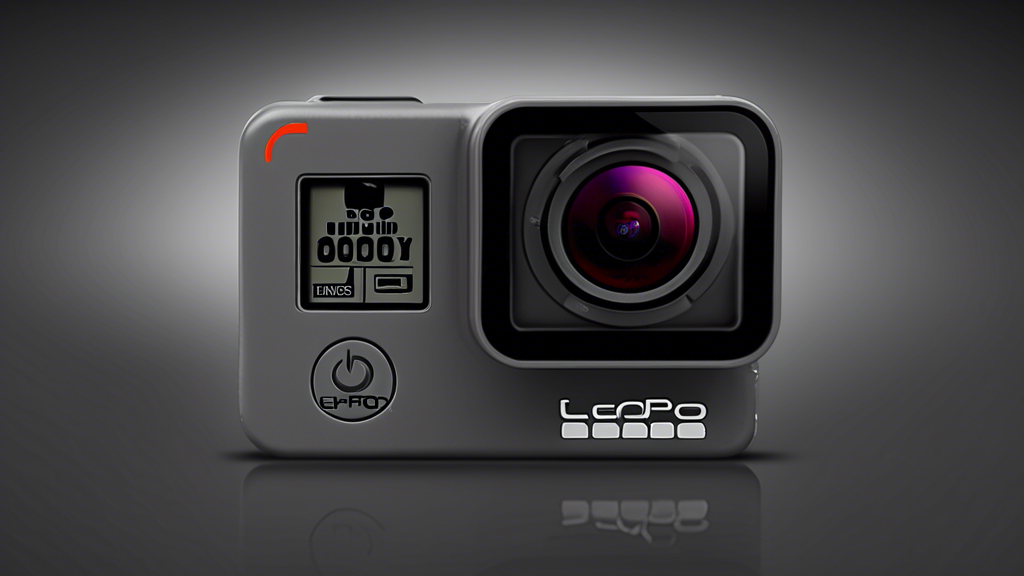
The right tool bridges that chasm. It doesn’t just record; it translates feeling into imagery, transforming raw experience into a shareable, breathtaking story. This translation is where true action filmmaking begins. Mastering your craft requires a foundation of superior, reliable technology. The GoPro Hero 13 Black represents that essential leap forward. It is the control center for adventure, providing the imaging fidelity and intuitive command needed to consistently capture professional-grade results, turning every outing into a potential production.
Building Your Capture Platform: The Hardware Ecosystem
Your camera is the brain, but its potential is unlocked by the body you build around it. These foundational choices determine your perspective, endurance, and creative flexibility.
Part A: Selection and Mounting: Choosing Your Perspective
Where you place the camera defines the story. Each mount offers a distinct narrative viewpoint.
Helmet Mounts (Chin or Top): Deliver the classic, immersive point-of-view (POV). This is the “you are there” perspective, ideal for biking, skiing, and any activity where you want to share your exact line of sight. For the most stable and cinematic helmet footage, I always use the chin mount—it turns your head into a natural camera stabilizer.
Chest Mounts: Provide a stable, torso-level view that captures arm movement and offers a slightly more grounded, less head-swiveling perspective than a helmet cam. Perfect for hiking, kayaking, or situations where you need a consistent horizon.
Handlebar/Equipment Mounts: Showcase dynamic movement of your bike, paddleboard, or other gear. They create a thrilling sense of speed and are excellent for capturing the interaction between you and your equipment.
Poles (Shorty or Extension): Unlock third-person shots, group selfies, and unique overhead angles. A compact tripod pole is the single most versatile accessory I own, allowing for quick, stable shots anywhere.
Part B: Power and Storage Management: The Logistics of Readiness
Mastery means never missing the shot due to a dead battery or full card. Your strategy here is critical.
Invest in Enduro batteries for cold-weather performance. They resist voltage drop in freezing conditions that would shut a standard battery down. For all-day shoots, the Volta grip or a pass-through door with a compact power bank is a game-changer, offering extended recording and remote control. For storage, never compromise. Use only high-endurance microSD cards (Class 10, U3, V30 rated) from reputable brands. They are engineered for the constant data-write cycles of high-bitrate video and prevent corruption.
Part C: Protective Housing and Lenses: Balancing Armor and Access
This is your choice between maximum protection and maximum performance. The right combination depends on your environment.
| Component Category | Options | Key Characteristics |
|---|---|---|
| Housing | Standard Housing, Super Suit, Naked (no housing) |
|
| Lenses | Standard Lens, Max Lens Mod 2.0 |
|
Commanding the Image: Control and Stabilization
The Hero 13 Black is a dynamic imaging system, not just a recorder. Mastery comes from actively managing its core variables to shape the final image.
HyperSmooth 6.0 Stabilization: The Invisible Cinematographer
This is the foundation of all watchable action footage. You must understand its modes. For everyday hiking or casual use, “High” offers perfect smoothness. When the action gets extreme—like downhill mountain biking or skiing through chop—switch to “Boost”. It aggressively crops the image to deliver gimbal-like stability. The consequence of ignoring this is jerky, nauseating footage that viewers will abandon. Trust HyperSmooth implicitly for 95% of shots. I only bypass it for specific ultra-slow-motion shots where I want to control the stabilization in post-production.
The Quality Trinity: Resolution, Frame Rate & HDR
These three settings define the technical quality of your capture. Choose based on your end goal.
4K at 60 frames per second (fps) is the versatile workhorse. It delivers stunning detail and smooth motion, perfect for most playback and social media. 5.3K at 30fps is your detail king, providing the highest resolution for cropping in post or viewing on large screens. For dramatic, buttery-smooth slow motion, 1080p at 240fps is your tool. The consequence of error is poor detail, choppy motion, or blown-out highlights. Control is simple: use the pre-set profiles (Standard, Activity, Cinematic) or, for true control, create custom Pro presets. I have one for “MTB Golden Hour” with specific color, sharpness, and HDR settings saved for instant recall.
Conquering the Dark: Advanced Low-Light Performance
Traditional action cameras fail at dusk or indoors. The Hero 13 Black’s larger sensor changes the game. Your ideal tool is the dedicated Night Effect video mode and Night Photo mode. These modes intelligently combine frames to reduce noise and pull detail from shadows. The consequence of using a standard mode in low light is grainy, unusable footage. To control it, combine the Night Effect mode with a stable mount—a tripod or a still surface. The camera needs a moment to process the multi-frame capture, so minimize movement for the cleanest results.
The Creator’s Workflow: From Capture to Story
True mastery shifts focus from merely capturing clips to efficiently crafting a narrative. This is where your workflow separates the hobbyist from the storyteller.
Preparation: Taming the Media Deluge
After a day of shooting, you’ll have gigabytes of footage. The key to efficient editing starts in-camera. Use the GoPro Quik app as your first line of defense. Its auto-highlight feature can create a surprisingly good rough cut in minutes. More importantly, enable auto-upload to the cloud (with a GoPro subscription). This backs up your footage automatically when charging, so a lost or damaged card isn’t a catastrophe.
Ongoing Inputs: Hands-Free Control
When you’re in the action, fumbling with buttons ruins the moment. Program custom voice commands. Beyond the standard “GoPro, start recording,” I use “GoPro, highlight tag!” to mark a great moment for easy finding later. The responsive rear touchscreen is also vital for quick settings changes on the fly. This efficient operation ensures you focus on the experience, not the camera.
Shot Planning: Thinking in Sequences
Don’t just record one long clip. Plan to capture a sequence. Start with a wide establishing shot (using a pole or a static mount) to set the scene. Move to the immersive action POV (helmet or chest mount) for the thrill. Finally, get detail shots: use a TimeWarp hyperlapse to show the journey or slow motion to capture a spray of water or dirt. This three-shot structure is the skeleton of a compelling edit.
The Proactive Protocol: Preventing Failure
Adopting a proactive stance is non-negotiable. Your shoot should never fail due to a preventable error.
The Ritual of Readiness
This is your non-negotiable pre-adventure checklist: clean the lens with a microfiber cloth, charge all batteries, format the memory card in the camera (not your computer), and do a 30-second test recording to verify audio and video. This five-minute ritual saves hours of heartache.
Tiered Troubleshooting: Smart Intervention
When issues arise, follow a logical escalation path.
Problem: Camera overheats and shuts down during a long 5.3K recording session.
Tiered Response: 1) Immediately remove it from the waterproof housing to allow heat dissipation. 2) For the next clip, switch your preset to 4K/60fps, which generates less heat. 3) For extended recording, use the camera in a well-ventilated area or with an external power solution that bypasses internal battery heat.
Problem: The Quik app won’t connect or keeps dropping the connection.
Tiered Response: 1) Toggle your phone’s Bluetooth and Wi-Fi off and on. 2) Fully restart both the GoPro and the Quik app. 3) As a last resort, manually forget the camera in your phone’s Bluetooth settings and re-pair from scratch within the Quik app.
Your Phased Shoot Strategy
| Phase | Primary Tasks | What to Focus On |
|---|---|---|
| Pre-Adventure | Charge Enduro batteries; format card in-camera; clean lens; update firmware; load/confirm custom Pro presets. | System integrity and configuration. Ensuring every component is at 100% readiness. |
| On Location | Securely fasten mount; double-check camera orientation; record a 5-second audio/video test clip; use voice commands for seamless control. | Stable, secure capture and in-the-moment operational efficiency. Focus on the action, not the settings. |
| Post-Adventure | Initiate cloud backup via Quik app; offload master footage to computer; charge batteries; clean camera and mounts. | Asset preservation and system reset. Protecting your footage and preparing for the next adventure. |
Your Reliable Partner in the Story of Your Life
Mastery is not about memorizing specs. It is about leveraging intuitive technology to capture life’s raw intensity with clarity, stability, and creative intent. This journey—from choosing the right mount to commandeering Pro presets and establishing a bulletproof workflow—transforms how you see the world. The initial frustration of missed or poor-quality moments is replaced by a profound confidence. You know your tool, you trust your system, and you are free to engage fully with the experience. The GoPro Hero 13 Black ceases to be just a camera. It becomes your reliable, silent partner in creation, ensuring that every adventure, from the mundane to the monumental, can be shaped into a story worth telling and reliving. This is the ultimate reward: the unparalleled creative satisfaction of building a visual legacy, one flawless, stable, breathtaking frame at a time.
