
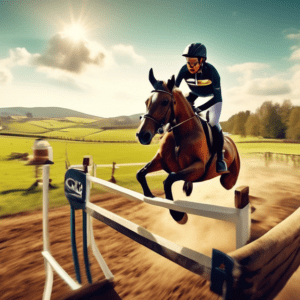
Relive the Run: Mastering the Helmet Camera for Cross-Country
You’ve just finished a brilliant cross-country round. The rhythm, the trust, the soaring jumps are a perfect blur of instinct and joy. But the memory fades, the details soften. Now, imagine being able to step back into that saddle, to see your line, feel the approach, and share that exact perspective with others. This is the promise of the modern helmet camera. It’s the tool that transforms a personal triumph into a universal story, much like the captivating Eventing Nation Helmet Cam: Stunning Cross-Country at Bouckaert Farm 2*. Mastering this technology is your key to not just recording an event, but to preserving and communicating the very soul of the ride.
Building Your Foundation: Camera and Mount
Your entire project hinges on two choices: the camera that captures the image and the mount that holds it steady. This hardware forms the unshakable base for everything that follows.
Part A: Selecting Your Camera’s Core Specs
For the violent motion of cross-country, not all cameras are equal. Your primary choice is between versatile action cams and specialized models.
Brands like GoPro or Insta360 are the standard for good reason. When comparing, prioritize these specs:
- Image Stabilization (HyperSmooth, RockSteady): This is non-negotiable. Electronic stabilization digitally counteracts the pounding gallop and head movement to create buttery-smooth footage.
- Field of View (FOV): A Wide or Medium setting is ideal. It captures the fence ahead and your horse’s ears without the extreme fish-eye distortion of an Ultra-Wide lens.
- Resolution & Frame Rate: For detail and the option for smooth slow-motion, 4K resolution at 60 frames per second (fps) is superb. For ultra-slow-motion replay of takeoffs and landings, 1080p at 120fps is a powerful tool.
Part B: Mounting for the Perfect Perspective
Where and how you mount the camera defines the viewer’s experience. The goal is a stable, immersive first-person view.
- Chin Mount (on helmet): Often considered the gold standard. It provides a natural, head-tracked perspective that closely mimics the rider’s sightline, showing the horse’s head and the approaching fence in perfect frame.
- Peak Mount: Offers a slightly higher, more overview-style angle. It can be very stable but may not feel as intimately “in the ride” as a chin mount.
- Side Mount: Can create a unique, dynamic angle but often introduces more rotational movement and may feel less direct.
Your setup ritual is critical. Clean the mounting surface with alcohol, apply the adhesive mount firmly, and use a tether strap as a safety backup. Angle the camera so the horizon is level and the frame captures a balanced view of the track ahead and your horse’s poll.
Part C: Essential Components of Your Kit
| Component | Options | Key Characteristics |
|---|---|---|
| Mounts | Adhesive, Strap-based, Clamp | Adhesive mounts are semi-permanent and very stable. Strap mounts (like a helmet strap) are removable but can shift. A safety tether is mandatory regardless of type. |
| Power | Internal Battery, External Power Pack | A full course can drain a battery. Use a freshly charged battery and carry a spare. In cold weather, keep spares in a warm pocket. An external pack can provide hours of record time. |
| Audio | Camera Microphone, External Mic | The built-in mic captures breath, hoofbeats, and cues. To combat wind roar, always use a fuzzy wind muff (a “deadcat”). This simple accessory dramatically improves sound quality at speed. |
Controlling the Chaos: Pre-Run Systems Check
A helmet cam run is a managed event. You control the variables before the starter counts down to ensure the camera disappears from your mind during the run.
Follow this pre-run checklist religiously:
- Resolution/Frame Rate: Set based on your goal. I use 4K/60fps for most runs to have maximum detail for editing.
- Stabilization: Turn it ON. There is no scenario on cross-country where you want it off.
- Field of View: Set to Medium or Wide.
- Memory: Ensure your card is formatted and has ample space. A 64GB card can hold hours of 4K footage.
In the start box, your final act is the “set and forget” protocol: a final lens wipe with a microfiber cloth, press record, and confirm the recording light is on. Then, ride your horse.
The Art of the Capture: Beyond Simple Recording
With the technicalities mastered, you can focus on the craft—using the camera to tell a story and enhance your training.
Craft the Narrative Perspective: Your mount position chooses the story. A chin mount makes the viewer the rider. A chest mount can create a more “equestrian” feel. Consider what emotion you want to convey.
Integrate the Course Walk: Turn your course walk into a unique preview. Record your planned lines and commentary. Later, you can edit this alongside your actual run footage for a fascinating comparison that educates and engages viewers.
Become Your Own Best Coach: This is the most powerful application. Review your footage to objectively analyze your pace between fences, your straightness on approach, and your position on landing. It is the ultimate unblinking eye.
Preventing Disaster: Proactive Problem Solving
Adopt a proactive mindset. Most issues can be prevented with a disciplined routine.
Your Prevention Protocol: Test your mount on a training gallop days before the event. Clean the lens housing. Format memory cards in the camera, never just on a computer. Use a protective lens case when the camera is not in use.
When problems strike, here is your rapid-response guide:
- Blurry or Jumpy Footage: First, check the mount security. Vibration often comes from a loose connection. Second, reconfirm your stabilization is enabled. Third, ensure your helmet itself isn’t moving excessively.
- Wind Roar Drowning Audio: This is almost always solved by a high-quality fuzzy wind muff (deadcat) over the microphone. It is an essential, low-cost investment.
- Missed the Start/Stop: Use voice control commands if your camera supports them, or a Bluetooth remote. If not, build a rigid ritual: “Gloves on, goggles down, camera record.”
Your Roadmap from Ride to Release
| Phase | Primary Tasks | What to Focus On |
|---|---|---|
| Pre-Event (1-2 Days Prior) | Fully charge all batteries. Format memory cards in-camera. Perform a stability test gallop with your mount. Lock in your camera settings. | System reliability. Eliminating all “what-ifs” so you can focus on riding. |
| Event Day (At the Box) | Final clean of the lens with a microfiber. Start recording with 60 seconds to go. Secure any dangling cables. Ride your plan. | Seamlessly capturing the experience. The camera should be an afterthought during your round. |
| Post-Event (The Edit) | Transfer footage to your computer. Edit a 3-5 minute highlight reel: cut to key fences, crucial turns, and the finish. Add simple titles (Horse Name, Event) or overlay a map graphic. | Crafting emotion and pace. Your goal is not a full 8-minute run, but a tight, engaging film that makes a viewer feel the jump. |
Creating Your Legacy, One Jump at a Time
The true power of a helmet camera lies in its transformation of experience into legacy. It moves beyond personal memory to become a tool for connection, analysis, and inspiration. By methodically choosing your hardware, controlling your system, and crafting the narrative, you do far more than document a run. You capture the essence of partnership between horse and rider—the focused calm before the fence, the explosive power of the jump, and the joyful gallop after. You create an immersive artifact that, like the stunning Bouckaert Farm footage, allows anyone to momentarily inhabit the saddle, feeling the speed, grace, and raw emotion that defines the heart of cross-country.
