
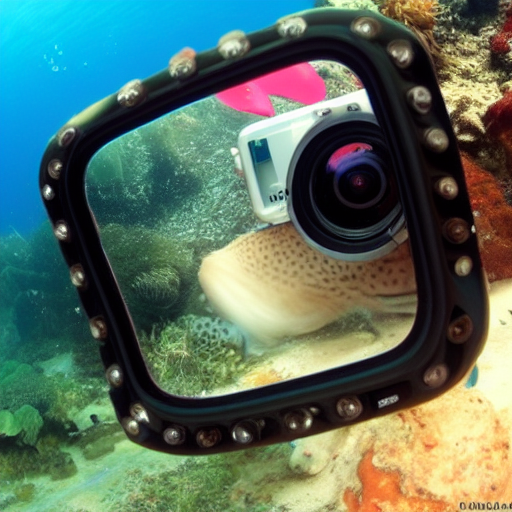
Finding the Perfect GoPro for Underwater Adventures: Your Guide to Capturing the Depths
The Vision Beneath the Waves
You descend into a cathedral of light, where a school of iridescent fish parts around you. A curious turtle glides past, close enough to see the texture of its shell. In that moment, you are a witness to pure magic. Then you surface, review your footage, and find a blurry, monochromatic blue mess. The magic is gone, replaced by a shaky, washed-out ghost of the experience. This disconnect between memory and media is the heartbreak of underwater filming.
That disappointment ends here. The solution is not just owning a camera, but mastering the specific hardware and techniques that conquer the aquatic environment. Choosing and configuring the right GoPro is the foundational act that transforms you from a passive recorder into an active storyteller of the deep. This mastery is your key to bringing the ocean’s true vibrancy and dynamism to the surface, creating visual records that are as stunning as the memories themselves.
Foundational Choices: The Camera & Housing
Your initial hardware decisions form the waterproof bedrock of your entire endeavor. Compromise here, and you limit your potential before you even get wet.
Part A: Model Selection – Balancing Depth with Features
Modern GoPros are waterproof on their own, but ratings vary critically. The standard HERO model might survive 10 meters, perfect for snorkeling and pool play. The HERO Black pushes to 16 meters, a necessity for serious divers. Beyond depth, prioritize HyperSmooth stabilization; it is non-negotiable for fluid video in moving water. Resolution is your clarity currency: film in 4K or 5K to future-proof your footage and allow for dramatic cropping in post. For the adventurous diver targeting dynamic scenes, the Black model’s superior stabilization and bitrate are essential. For the recreational snorkeler, a standard model provides a powerful, more accessible entry point.
Part B: The Essential Upgrade – Housings & Domes
Even a waterproof camera needs armor. A dedicated dive housing provides three supreme advantages: it extends your safe operating depth beyond 40 meters, protects your camera from impacts and scratches, and allows for corrective optics. For the iconic split-level shot—half above, half below the waterline—a dome port is the essential tool. It counteracts the magnifying distortion of water, creating that seamless horizon line. Choose a housing that maintains full touchscreen functionality and has a proven, reliable sealing mechanism.
Part C: Core Accessories Comparison
These components are not extras; they are integral parts of your imaging system.
| Component Category | Options | Key Characteristics |
|---|---|---|
| Primary Housing | Official GoPro Dive Housing | • Guaranteed compatibility and perfect sealing. • Rated for depths beyond 40m for true dive safety. • Maintains full touchscreen functionality for easy control. |
| Color Correction | Red Filter / Magenta Filter | • Red Filter: Restores red and orange wavelengths absorbed in blue ocean water below 5m. • Magenta Filter: Corrects the green cast of freshwater lakes, quarries, or low-visibility coastal water. |
| Mounting | Handheld Tray / Mask Mount / Chest Mount | • Tray: Provides two-handed stability for buttery-smooth panning and control. • Mask Mount: Offers an authentic first-person perspective (POV) of your dive. • Chest Mount: Frees your hands but can produce bobbing footage; best paired with HyperSmooth. |
The Core System: Settings & Control for Clarity
Your GoPro is a dynamic imaging system to be commanded, not a point-and-shoot toy. In-camera control separates murky footage from cinematic potential.
Variable 1: Resolution & Frame Rate
Your target is 4K resolution at 60 frames per second. This combination yields incredibly crisp detail and allows for smooth slow-motion in post-production. For dramatic super slow-motion of fast action, switch to 1080p at 240fps. The consequence of error is irreversible: low-resolution, low-frame-rate footage appears grainy and cannot be effectively stabilized or slowed down later.
Variable 2: Color & Exposure
You must defeat the blue wash at the source. Enable the Flat Color Profile and turn on Protune manual controls. Set your White Balance to “Native” or a fixed Kelvin value like 5500K. This strategy captures a flatter, less saturated image with maximum data. It looks dull on the camera screen, but it preserves all color information for powerful correction in editing software, giving you perfect color, not the camera’s best guess.
Variable 3: Stabilization
Activate HyperSmooth Boost for every underwater video clip. This electronic image stabilization is a miracle worker. It eliminates the jerky, nauseating micro-movements of handheld diving, transforming your footage into fluid, cinematic movement as if shot from a dolly. It is the single biggest factor in making your video look professional.
Advanced Practices: Shooting Techniques for Impact
With your system tuned, focus shifts to the art and science of underwater storytelling.
Preparation: The Pre-Dive Ritual
Your ritual is sacred. Place an anti-fog insert or silica gel pack inside the housing to absorb moisture. Inspect the housing O-ring for a single speck of sand or hair, clean it with a microfiber cloth, and lubricate it lightly with the proper silicone grease. Before sealing, set your camera to your preferred preset mode. This disciplined preparation prevents catastrophic failure.
Ongoing Technique: Movement & Composition
Move with deliberate slowness. Pan by rotating your entire torso, not just your wrists. Water reduces contrast and clarity, so get 25% closer to your subject than you think you need. Apply the rule of thirds, using coral formations or light rays as leading lines. Breathe slowly and steadily; your buoyancy control is your best camera stabilizer.
Strategic Shooting: Capturing the Sequence
Shoot for the edit. Capture a wide establishing shot of the reef wall. Move in for a medium shot of a fish swimming through structure. Get an extreme close-up of its eye or scales. This sequence builds narrative. Always film your giant-stride entry and your safety stop; they bookend the story. Capture environmental portraits of your buddy interacting with the seascape—these human elements create powerful connection.
Threat Management: Preventing Floods & Fogging
Adopt a proactive stance. Your enemy is complacency.
Prevention: The Sacred O-Ring
Your housing seal is your lifeline. Before every dive, perform the ritual: inspect, clean, lubricate, and seal. Listen for the definitive “click” on all latches. Never force a closure. This two-minute drill is the absolute best defense against a flooded camera and a ruined trip.
Intervention: When Things Go Wrong
Identify the problem instantly. Fogging inside the lens is a condensation issue from temperature change. Beads or pools of water mean a leak.
Your tiered response is critical:
1. Immediate: Surface safely and calmly. For fog, use commercial anti-fog drops on the next dive. For a leak, power off the camera immediately to short-circuit damage.
2. Post-Dive: Rinse the sealed housing in fresh water to remove salt/sand. Dry it thoroughly *before* opening. If flooded, submerge the camera in a bowl of fresh water (to halt corrosion) and then in a bag of silica gel or uncooked rice.
3. Long-Term: Replace O-rings annually or per manufacturer guidelines. They are consumable parts.
The Action Plan: A Diver’s Pre-Flight Checklist
| Phase | Primary Tasks | What to Focus On |
|---|---|---|
| Pre-Trip | Charge all batteries. Update camera firmware. Assemble housing for a dry-land test. Format memory cards. | System-wide functionality and digital readiness. Eliminate surprises. |
| Pre-Dive | Execute O-ring ritual. Insert anti-fog desiccant. Set camera Protune presets. Load camera into housing. | Absolute leak prevention and locking in correct shooting settings. |
| On the Boat | Final visual seal check. Attach filter or tray. Set manual white balance for current light conditions. | Final verification and environmental calibration for true color. |
| Post-Dive | Rinse housing in fresh water. Dry exterior completely. Open, dry camera, recharge batteries. | Gear longevity and preparation for the next immersion. It’s a cycle. |
From Memory to Masterpiece
The journey from frustration to mastery is defined by control. You control your hardware with informed choice, your image with deliberate settings, and your narrative with practiced technique. This triad transforms the chaotic underwater world into a composed visual story.
You began with the ghost of an experience—a blurry, blue memory. You now end with the power to capture its soul: the piercing clarity of a reef at 20 meters, the majestic slow-motion flap of a manta ray’s wing, the authentic grin of a buddy illuminated by your video light. The profound satisfaction comes not just in reliving your adventure, but in sharing the true depth, color, and emotion of the hidden world. Your perfect shot is no accident. It is the direct reward for your preparation, your knowledge, and your respect for the craft. The transformation awaits. Now, go dive in.
