
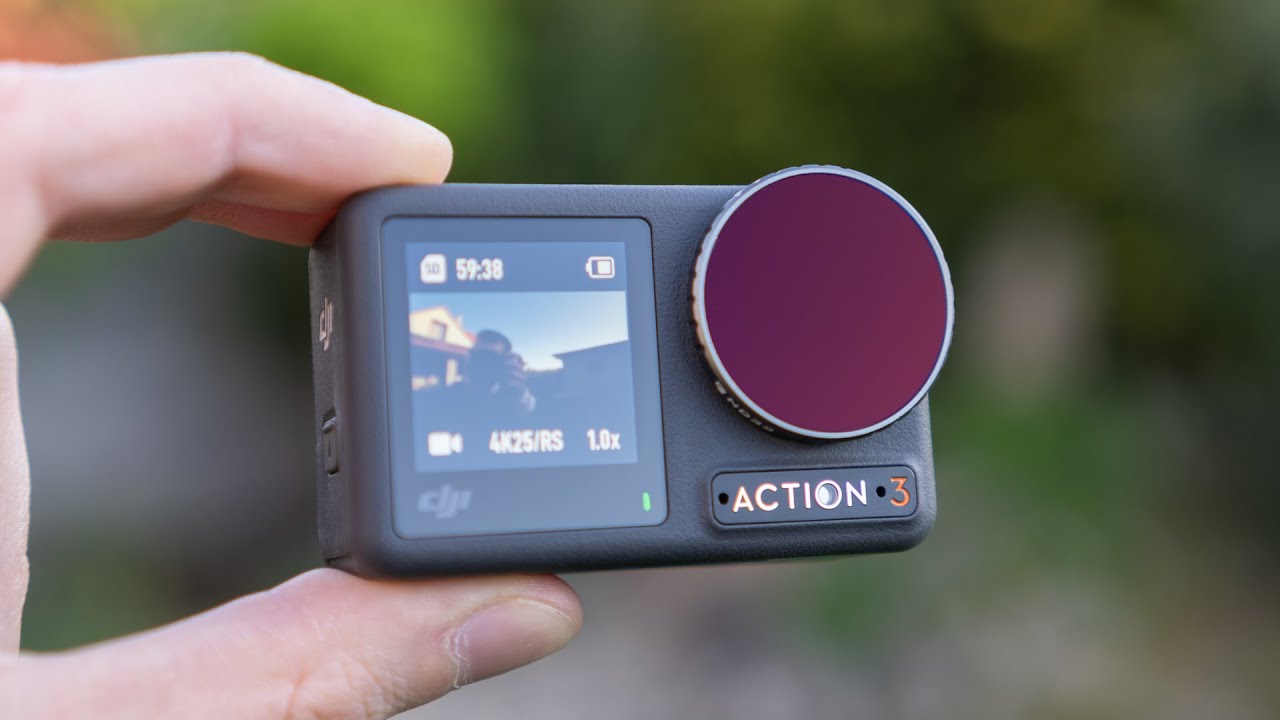
Long-Term Review of DJI Osmo Action 3: Is It Worth the Investment?

DJI OSMO ACTION 3 Long Term Review

The Vision of Uncompromised Capture

You crest the ridge after a grueling hike, the sunset exploding in colors no screen can replicate. You fumble with your camera, but the battery is dead. Or it overheats. Or the menu is a labyrinth. The moment evaporates, preserved only in memory. This is the pain of unreliable gear. It breaks the flow between experience and creation.

Enter the promise of a tool engineered for endurance: the DJI Osmo Action 3. It’s built on a simple, powerful premise—to be ready when you are. But does this promise hold up when the novelty wears off? This long-term review dissects whether the Action 3’s rugged reliability transforms it from a gadget into a genuine investment for creators who value confidence over complexity.

Foundational Choices: The Action Camera Ecosystem

Your action camera is the bedrock of your visual story. Choosing the right one dictates not just your footage quality, but your entire experience. The wrong choice leaves you managing a device; the right choice lets you forget it’s there.

Part A: Selection & Core Use Case

The Osmo Action 3 isn’t a camera for everyone. It’s a specialist. For vloggers who need a flawless front screen and rapid mounting, it’s ideal. For cyclists and motorcyclists facing constant vibration, its stabilization is a lifeline. For casual adventurers who want a “set and forget” tool, its simplicity wins. Compared to its main rival, GoPro, the Action 3 often trades some ultimate image tweakability for superior thermal management and a more intuitive physical design. If your priority is a workhorse that won’t quit in the sun, this is your contender.

See also  Discover the Top 5 Best Budget Action Cameras of 2023 for Your Adventures

Part B: The Physical & Tactical Setup

Placement is everything. For immersive point-of-view shots, the helmet mount is king. For stable, cinematic running or hiking footage, the chest mount excels. Handlebar mounting captures the journey’s immediacy. The Action 3’s secret weapon is its magnetic quick-release system. I’ve switched from a bike mount to a selfie stick in under three seconds mid-ride—a game-changer for dynamic shooting.

Part C: Hardware & Component Breakdown

The specs tell one story; long-term wear tells another. Here’s how the core components hold up.

Component Category Options Key Characteristics
Battery & Endurance Standard Battery, Endurance Bundle The 160+ minute runtime is real-world accurate. The true value is the ecosystem: the charging case keeps three batteries cycling, and hot-swapping eliminates downtime entirely. After a year, battery degradation is minimal.
Durability & Design Frame, Lens, Buttons The metal frame shows minor scuffs but no structural weakness. The scratch-resistant front screen has no marks, despite being tossed in bags. The large, tactile buttons remain responsive, even with winter gloves on.
Sensor & Lens 1/1.7″ Sensor, f/2.8 Lens Image quality is consistent and color science is pleasingly natural. The wide lens captures the scene without excessive distortion. The fixed focus means everything from your handlebars to the horizon is sharp.

The Core System: Performance Management in the Real World

Forget lab tests. The true test of an action camera is how its systems perform under sustained, real-world stress. This is where the Action 3 separates itself.

Control Variable 1: Thermal Management & Overheating

The Ideal State: Recording until your memory card fills or your battery dies, with no thermal shutdowns.

The Consequence of Failure: The camera cutting off mid-record, destroying the continuity of your shot and your trust in the device.

The Control Method: Through a summer of 90°F+ days, recording in 4K/60fps, the Action 3 never once overheated and shut down. The metal body acts as a heat sink. Mounting it in the open air (not in a sealed waterproof case unless necessary) is the final step for flawless thermal performance.

See also  DJI Osmo Action 3 - Ready To Ride

Control Variable 2: Image Consistency & Stabilization

The Ideal State: Buttery-smooth, rock-steady footage even during high-impact activities like mountain biking on rooty trails.

The Consequence of Failure: Jerky, nausea-inducing video that’s impossible to watch, let alone share.

The Control Method: RockSteady 3.0 is phenomenal. After months of use, its consistency is its greatest strength. The horizon lock feature is a revelation for any activity where the camera tilts—it keeps the world level effortlessly. Note: In very low light, stabilization can introduce a slight “jelly” effect, as with all electronic stabilization. For night shots, a static mount is better.

Control Variable 3: Audio & Usability

The Ideal State: Clear, intelligible sound and controls you can operate by feel, without looking.

The Consequence of Failure: Wind-whipped audio ruins a great visual, and complex menus cause you to miss the shot.

The Control Method: The built-in wind noise reduction is effective for moderate wind. For high speeds, a foam windslip is essential. Usability shines long-term: the front screen shows all critical settings, and the quick menu is intuitive. Voice commands (“Start recording!”) work reliably about 80% of the time, enough to be useful when your hands are occupied.

Advanced Practices: Optimizing Your Workflow

Mastery means moving beyond pressing record. It’s about building a seamless system from capture to edit.

Preparation: Essential Supporting Gear

The camera is just the start. A flexible mini tripod is indispensable for static shots. The official DJI Vertical Mount is perfect for smartphone-style social media clips. After a year, I recommend third-party aluminum cages for extreme sports—they offer better accessory mounting and protect the camera’s body from direct impacts.

Ongoing Inputs: Power & Data Management

Adopt the “battery ecosystem” mindset. The triple-charger case is a non-negotiable purchase. My strategy: two batteries in the case, one in the camera. You’ll never run out. For data, the DJI Mimo app provides surprisingly fast wireless transfers for quick social shares, but for a full day’s 4K footage, pulling the microSD card is still fastest.

Selection & Strategy: Shooting Modes for Best Results

Don’t just shoot in 4K/60fps because you can. Use HorizonLock for any activity on wheels or water. Switch to 4K/120fps only for deliberate slow-motion sequences—it drains batteries and fills cards faster. The timelapse mode, especially with the built-in intervalometer, has created some of my most stunning, hassle-free footage of moving clouds and city traffic.

See also  Exploring the DJI Osmo Action 3 Camera: A Comprehensive Test of Ultra Wide and Wide Angle at 1080P 60FPS - Stay Tuned for My Review!

Threat Management: Durability & Problem Solving

A proactive stance preserves your investment and prevents catastrophe.

Prevention: Proactive Care

Immediately apply a tempered glass screen protector to the front touchscreen. After exposure to saltwater or sand, always rinse the ports with fresh water and dry them before charging. Set a calendar reminder to check for firmware updates quarterly—DJI has consistently improved performance via updates.

Intervention: Addressing Wear & Tear

The most common long-term issue is the battery door latch loosening slightly. The fix is simple: gently bend the metal latch inward for a tighter seal. The magnetic accessory connectors can accumulate pocket lint; a quick blast of compressed air cleans them. After hundreds of cycles, my USB-C port remains tight, but I primarily use the magnetic charging dock to reduce physical wear.

The Verdict: A 12-Month Action Plan

Ownership is a journey. Here’s what to expect and focus on throughout the first year.

Season/Phase Primary Tasks What to Focus On
First 3 Months (The Honeymoon) Master the magnetic quick-release. Test every shooting mode in safe environments. Establish your battery charging routine. Building muscle memory and initial trust. The camera will feel incredibly fast and responsive compared to older models.
3-12 Months (Daily Driver) Stress-test it in your specific conditions—cold, heat, water, dust. Gradually build your essential accessory kit. Develop your personal file management flow. Reliability under duress. The value of the swappable battery system becomes crystal clear. You’ll notice if any minor quirks emerge.
12+ Months (Trusted Tool) Perform preventative maintenance on seals and latches. Re-evaluate your accessory needs based on your actual usage. Long-term durability. The camera should now feel like a natural extension of your gear, not a piece of technology you have to babysit.

The Transformation of Your Adventure Footage

The true investment in the DJI Osmo Action 3 is not in its megapixels or frame rates, but in its reliability. It’s the confidence to focus on the experience, not the equipment. This long-term review reveals a device that matures from a exciting new toy into a trusted, grab-and-go tool.

The journey from unboxing to mastery is one of diminishing friction. The initial learning curve gives way to instinctual operation. The worry about battery life evaporates. The fear of missing the shot recedes. You are left with a rich, steady archive of your adventures, captured not through struggle, but through seamless execution. That confidence—the assurance that your camera will work as hard as you do—is what makes the DJI Osmo Action 3 a resoundingly worthwhile investment. It doesn’t just record your story; it gets out of the way so you can live it.

You May Also Like

About the Author: Ricky Williams

Get Your Download Immediately

Get Instant access to our Digital Helmet Camera ebook

You have Successfully Subscribed!
