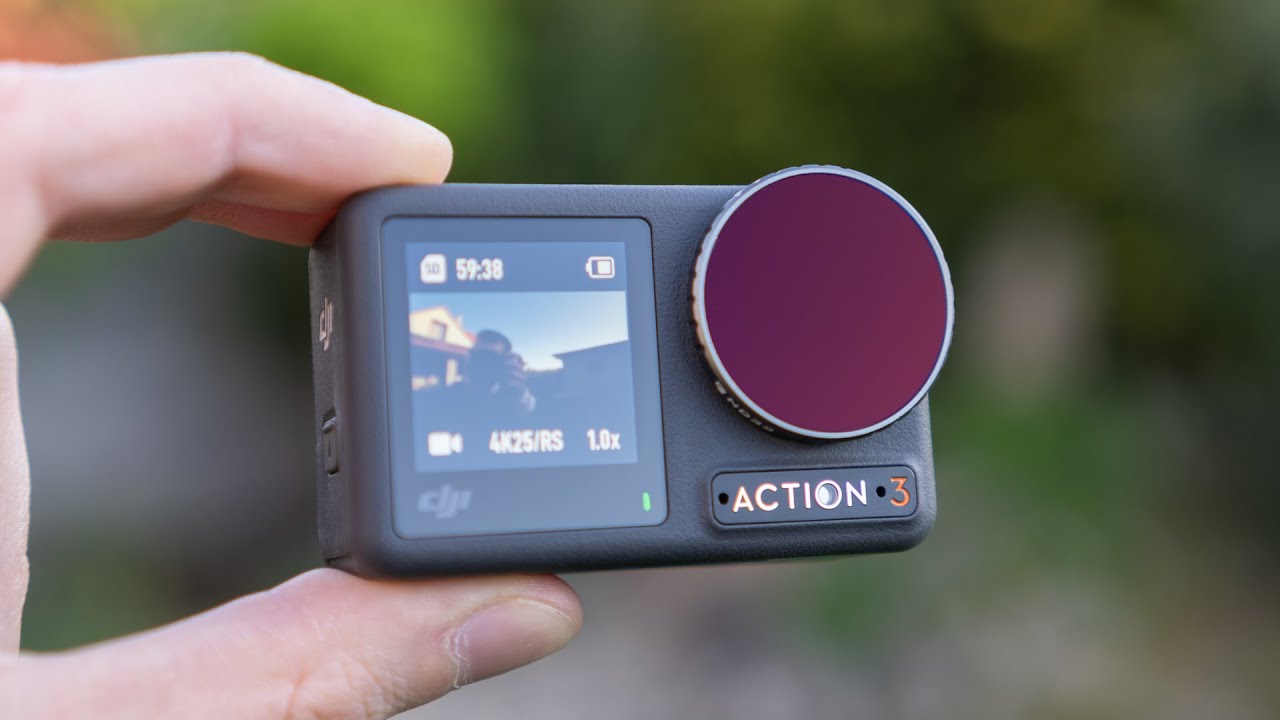
DJI Action Camera Review: Osmo Action 3, 4 & 5 Pro for Motorcycle Riding

DJI - Introducing DJI Action 2

DJI entered the action camera market in 2019 and has consistently challenged GoPro’s dominance with better battery life, competitive stabilization, and a dual-screen design that makes setup easier. This guide covers every current DJI action camera worth considering for motorcycle helmet use, their specifications, and who each camera is best suited to.

DJI has released newer Osmo Action models since this comparison was written (the Osmo Action 6 is now listed on DJI’s site). The models below remain useful for value comparisons, but check DJI’s current lineup and specifications before buying.

DJI Action Camera Lineup: Models Compared

Model Max Resolution Battery Life Sensor Price
Osmo Action 5 Pro 4K/120fps ~130 min (4K/60fps) 1/1.3″ ~$269
Osmo Action 4 4K/120fps ~100 min (4K/60fps) 1/1.3″ ~$199
Osmo Action 3 4K/120fps ~95 min (4K/60fps) 1/1.7″ ~$149

DJI Osmo Action 5 Pro: Best DJI Camera for Motorcycle Use

Key Specifications

  • Sensor: 1/1.3 inch — the largest in any action camera at this price point
  • Max video: 4K/120fps, 2.7K/120fps, 1080p/240fps
  • Stabilization: RockSteady 4.0 with Horizon Steady
  • Battery capacity: 1,950 mAh — largest action camera battery currently available
  • Battery life: ~130 min at 4K/60fps; ~160 min at 1080p/60fps
  • Waterproof: 20m without housing — best-in-class waterproofing
  • Weight: 179g with battery
  • Dual screen: 2.25″ rear touchscreen + 1.3″ front screen
  • Price: ~$269 (camera only), ~$369 (Adventure Combo)

Why Motorcycle Riders Choose the Action 5 Pro

Battery life: 130 minutes of 4K/60fps recording is the most of any action camera in this price range. For touring riders, this means a complete morning ride without battery changes. For commuters, it covers a full week of daily commutes (30 min × 5 days) on a single charge.

1/1.3-inch sensor: A larger sensor captures more light, which translates to better dynamic range. For motorcyclists who ride at dawn and dusk, or through areas with rapid light changes (tunnel exits, tree-lined roads), the Action 5 Pro handles these conditions better than smaller-sensor cameras.

20m waterproofing: Industry-leading for an action camera without a housing. Riding in heavy rain, river crossings on adventure bikes, and water sports are all handled without any additional case.

Best Settings for Motorcycle Use

Standard road riding:

  • 4K / 60fps
  • RockSteady 4.0 ON
  • Horizon Steady ON
  • Wide FOV
  • D-Cinelike colour profile (if editing) / Standard (if uploading direct)

Long-distance touring:

  • 2.7K / 60fps (saves ~30% storage and battery vs. 4K)
  • RockSteady ON, Horizon Steady ON
  • Loop recording not available — manage storage manually or use a 256GB card

Track days / performance riding:

  • 4K / 120fps
  • RockSteady Standard (Boost mode has limitations at 4K/120fps)
  • Normal FOV (less distortion for technique analysis)

DJI Osmo Action 4: The Value Sweet Spot

The Action 4 dropped to ~$199 after the Action 5 Pro launched — making it exceptional value. It uses the same 1/1.3-inch sensor as the Action 5 Pro, shoots 4K/120fps, and has RockSteady 3.0 stabilization. The main differences vs. the Action 5 Pro:

  • Battery life: ~100 min vs. 130 min (Action 5 Pro wins)
  • Stabilization: RockSteady 3.0 vs. 4.0 (marginal in real-world use)
  • Waterproofing: 18m vs. 20m (irrelevant for motorcycle use)
  • Price: ~$70 less

Verdict: If battery life isn’t a deciding factor (rides under 90 minutes), the Action 4 at $199 represents better value than the Action 5 Pro at $269.

DJI Osmo Action 3: Best Budget DJI Camera

Now available for ~$149, the Action 3 remains one of the best value motorcycle cameras on the market. It doesn’t have the 1/1.3-inch sensor of the newer models (it uses 1/1.7-inch), but the 160-minute battery life at 1080p is still best-in-class at its price point. For riders who don’t need 4K or the best low-light performance, the Action 3 covers all practical riding scenarios.

DJI vs. GoPro: The Honest Comparison

The two-brand rivalry is genuine — both are excellent, and the “right” choice depends on priorities:

Priority Choose DJI Choose GoPro
Battery life ✅ DJI wins
Low-light performance ✅ DJI (larger sensor)
Dual screen ✅ DJI standard
Max resolution ✅ GoPro (5.3K vs. 4K)
Mount ecosystem ✅ GoPro has more options
Modular accessories ✅ GoPro Media Mod, lenses
Stabilization in vibration Equivalent Equivalent

Use our Camera Recommender tool to get a specific GoPro vs. DJI recommendation based on your riding style — it takes 60 seconds and factors in the details that matter for your situation.

Mounting DJI Action Cameras on a Motorcycle Helmet

DJI’s magnetic quick-release system uses a proprietary mount but includes a GoPro-compatible adapter, so the full GoPro mount ecosystem is available.

Recommended mounts for DJI cameras:

  • DJI Helmet Chin Mount (~$29) — designed for DJI cameras specifically; quick magnetic release
  • ULANZI U-400 Chin Mount (~$18) — budget alternative; secure, compatible with DJI magnetic system
  • Telesin Helmet Chin Mount for DJI (~$15) — best value option
  • Any GoPro mount + DJI GoPro adapter — opens the full GoPro accessory range

Frequently Asked Questions

Is DJI Osmo Action 5 Pro better than GoPro Hero 13?

For battery life and low-light performance: yes. For maximum resolution, mount ecosystem, and modular accessories: no. They are roughly equivalent for the core use case of 4K/60fps motorcycle footage with stabilization. Your decision should come down to which secondary features matter more to you.

Does the DJI Osmo Action camera work underwater?

The Action 5 Pro is rated to 20 metres without housing — suitable for swimming, snorkelling, and rain riding. The Action 4 is rated to 18 metres. Neither requires an additional underwater housing for the conditions motorcycle riders typically encounter.

Can I use the DJI Mimo app for remote control while riding?

The DJI Mimo app connects over Wi-Fi and provides remote control, live preview, and settings adjustment. It’s not safe to use while riding — use it at the start/end of a ride for framing and settings confirmation. The front-facing screen on DJI cameras allows on-helmet framing checks without the app.

Official resources: DJI Osmo Action 3 | DJI Osmo Action 4 | DJI Osmo Action 5 Pro.
Do Motorcycle Helmet Cameras Need a Gimbal? Stabilization Explained

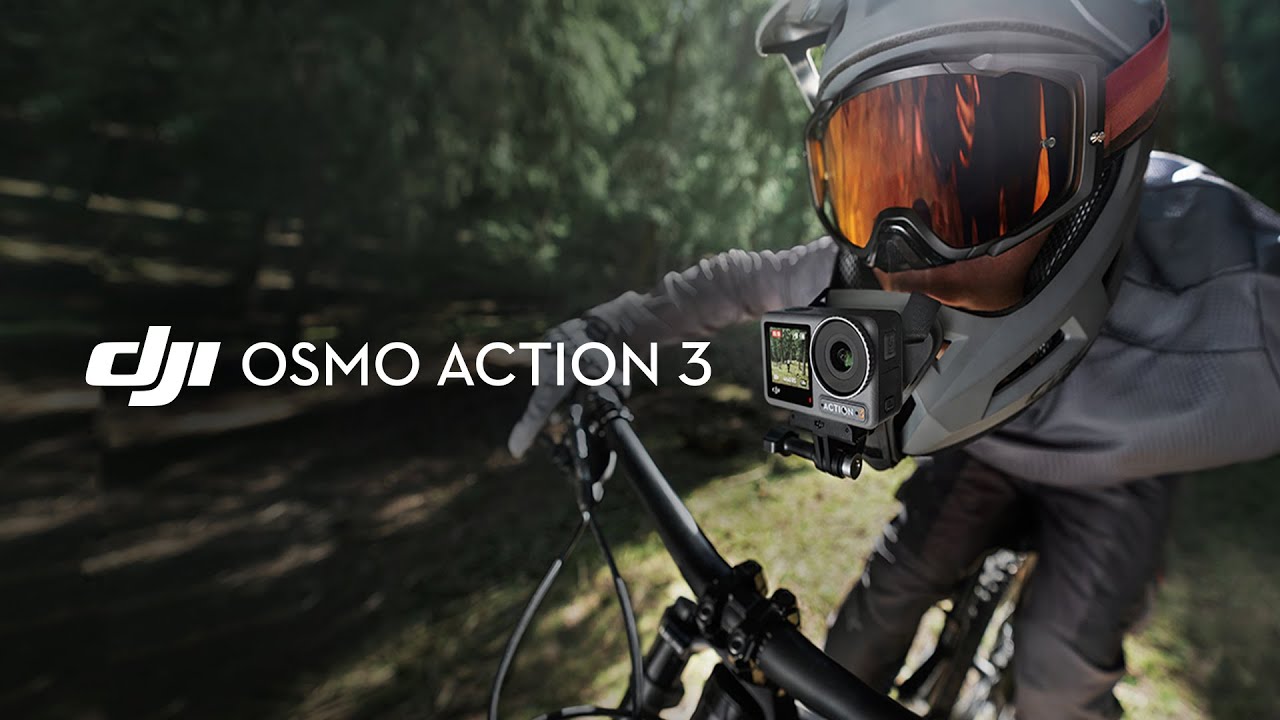
DJI RS 3 - Ready When You Are

Stabilization is the most important technical factor in motorcycle helmet camera footage — but there’s genuine confusion about whether you need a physical gimbal, electronic stabilization (EIS), or AI-based software stabilization. This guide explains what each type does, how they compare for motorcycle use, and which approach is right for different riding situations.

The Three Types of Stabilization

1. Electronic Image Stabilization (EIS) — Built into Most Action Cameras

EIS works by using the gyroscope and accelerometer inside the camera to detect motion, then digitally cropping and shifting the frame to compensate. The camera essentially records more than you see, and the processor uses the extra pixels as a buffer to smooth out movement.

Examples: GoPro HyperSmooth 6.0, DJI RockSteady 4.0, Insta360 FlowState.

For motorcycle use: Modern EIS on cameras like the GoPro Hero 13 Black and DJI Osmo Action 5 Pro handles most riding scenarios very well. At motorway speeds on smooth asphalt, EIS produces footage that appears gimbal-smooth. The main limitation is high-frequency vibration — if your engine vibrates intensely at certain RPMs (common with single-cylinder or V-twin engines), some EIS systems struggle.

Crop factor: EIS requires cropping the image, typically losing 10–20% of the frame. On a 4K sensor this is acceptable. On a 1080p camera the crop can be visible.

2. Optical Image Stabilization (OIS) — Rarely Found in Action Cameras

OIS uses a physically moving lens element or sensor to counteract movement mechanically. It’s common in smartphone cameras but rarely found in action cameras due to the size and complexity involved.

For motorcycle use: The Sony RX0 II has OIS but is not a typical helmet camera choice. For practical purposes, you won’t encounter OIS in a helmet camera purchase decision.

3. Physical Gimbal Stabilization — Separate Accessory

A camera gimbal (like the DJI RS 3, RS 4, or OM 6) uses motorised axes to physically keep the camera level regardless of movement. It processes motion 10,000+ times per second and makes mechanical corrections in real time.

Results: Technically the smoothest possible footage — smoother than any EIS system. Professional film and TV productions use gimbals for exactly this reason.

For motorcycle helmet use: Impractical. A gimbal is designed for handheld camera movement, not for mounting to a helmet. The physical size, weight (400–600g for a camera gimbal), battery requirements, and aerodynamic impact make helmet mounting unsafe and unworkable. Gimbals are the right tool for filming motorcycles — from a chase vehicle, a pillion seat, or handheld for stationary shots. They are not the right tool for mounting on your helmet while riding.

What Actually Causes Shaky Motorcycle Footage

Understanding the source of vibration helps you solve it with the right tool:

Vibration Source Frequency Best Fix
Road surface (bumps, potholes) Low frequency EIS handles well
Engine resonance (single/V-twin) Medium frequency (30–100Hz) Anti-vibration mount pad + EIS
Wind buffeting at high speed Low frequency EIS handles well
Helmet wobble from loose fit Low frequency Tighter fit / better mount
Mount looseness (worn quick-release) Random Replace mount hardware

The Anti-Vibration Mount: The Underrated Solution

For motorcycles with significant engine vibration (particularly large V-twins, single-cylinder adventure bikes, and older inline-fours with worn engine mounts), an anti-vibration mount pad placed between the helmet and the camera mount can dramatically improve footage quality.

Options worth trying:

  • GoPro Anti-Vibe Mount (~$20) — designed specifically for this purpose. Absorbs vibration between the camera and mount through internal rubber elements.
  • Generic silicone vibration damper pads (~$8–12 on Amazon) — cut to fit between any mount and the helmet surface.
  • Loctite Blue on mount screws — prevents loosening from vibration over time without permanently bonding.

EIS Comparison: Which Action Camera Has the Best Stabilization for Motorcycles?

Camera EIS System Motorway Performance Rough Roads
GoPro Hero 13 Black HyperSmooth 6.0 Excellent Excellent
DJI Osmo Action 5 Pro RockSteady 4.0 Excellent Very Good
Insta360 X5 FlowState (360°) Excellent Excellent
DJI Osmo Action 3 RockSteady 3.0 Very Good Good
GoPro Hero 11 Black HyperSmooth 5.0 Very Good Good
Generic action cameras Basic/none Poor Unusable

Post-Production Stabilization: The Third Option

If your footage has residual shakiness after EIS, software tools can help in editing:

  • DaVinci Resolve (free) — Stabilization tool in the Color page. Good for low-frequency wobble.
  • GoPro Quik — Auto-stabilizes clips from any GoPro camera. Works well for minor corrections.
  • Adobe Premiere / Warp Stabilizer — Industry standard, produces excellent results but adds significant crop to the frame.
  • Insta360 app (for 360° cameras) — ReFrame tool applies FlowState post-stabilization when you choose your viewpoint.

Verdict: Do You Need a Gimbal for Helmet Camera Footage?

No. For motorcycle helmet mounting, a modern action camera with quality EIS (GoPro Hero 11/13, DJI Osmo Action 3/4/5) combined with a secure mount and anti-vibration pad produces footage that is indistinguishable from gimbal footage for most viewing purposes. Gimbals are the right tool for handheld and vehicle-mounted filming — not for helmet mounting while riding.

Use our Mount Advisor tool to find the best mount combination for your helmet, camera, and riding style — including anti-vibration recommendations for your engine type.

Frequently Asked Questions

My single-cylinder adventure bike creates a lot of vibration — will EIS be enough?

Modern EIS (HyperSmooth 5.0+ or RockSteady 3.0+) handles most single-cylinder vibration well. Add an anti-vibration mount pad as a secondary measure. If you’re still seeing issues, a chin mount (more vibration-dampened position) often produces better results than a top mount for high-vibration engines.

Can I use a handheld gimbal to film from a motorcycle?

Yes — if you have a pillion who can hold the gimbal, or you mount it on a tank bag or tail rack. The DJI RS 3 Mini or DJI OM 6 are good options for passenger-held filming. This is completely different from helmet mounting.

Official resources: GoPro HyperSmooth 6.0 specifications | DJI RockSteady 3.0 specifications.

DJI Osmo Action 3 Setup Guide: Best Settings & Mounting for Motorcycle Riders

DJI - This is Osmo Action 3

You’ve got a DJI Osmo Action 3 mounted on your helmet and you’re getting shaky, washed-out, or audio-ruined footage. The camera is capable of excellent results — but the default out-of-box settings are not optimised for motorcycle use. This guide walks through setup, settings, and the specific adjustments that make the difference between amateur and professional-looking ride footage.

Step 1: Choose the Right Mount Position

Before touching a single camera setting, your mount position determines 80% of your footage quality. The wrong position means no amount of stabilization or settings will save it.

Chin Mount (Recommended for Most Riders)

Position: on the chin bar of a full-face helmet, centred or slightly offset.
Why it works: Close to your eye line, sheltered from wind by the chin bar (reducing both noise and vibration), and the most natural perspective for viewers.
Best chin mounts for the Action 3: DJI Helmet Chin Mount ($29), ULANZI U-400 (~$18), Telesin Chin Mount (~$15).

Top Mount (Open-Face and Modular Helmets)

Position: on the top of the helmet, as far forward as possible without exceeding the helmet’s slope.
Why it works: The only practical external option for open-face and modular helmets. Elevated perspective shows more road and scenery.
Downside: More aerodynamic drag at speed; slightly more vibration without the chin bar buffer.

Step 2: Core Camera Settings for Riding

Open the DJI Mimo App First

Before your first ride, connect the Action 3 to the DJI Mimo app (iOS/Android) and update firmware. DJI regularly releases stabilization improvements via firmware — skipping this means potentially running outdated stabilization software.

The Settings That Matter

Resolution and Frame Rate
Set: 4K / 60fps for all standard riding. This gives smooth motion and enough resolution for cropping.
For slow-motion analysis of technique: 2.7K or 1080p / 120fps. True 4K/120fps is not available on the Action 3 (it was added on the Action 4).

Stabilization
Turn on: RockSteady 3.0. This is the electronic stabilization — it must be manually enabled each time, it doesn’t default to ON.
Also enable: Horizon Steady. This runs independently from RockSteady and keeps the horizon level even if the camera tilts. Set to ±45°.

Field of View
Use: Wide (not Ultrawide) for road riding. Ultrawide creates barrel distortion that makes straight roads look curved, and at high speeds the visual distortion becomes disorienting. Switch to Ultrawide for off-road or adventure riding where the wider view adds context to the terrain.

Shutter Speed
The shutter speed rule for video: set to double the frame rate.
At 60fps → use 1/120s
At 120fps → use 1/240s
This gives natural motion blur that matches how our eyes perceive movement. Using a faster shutter makes motion look stuttery; slower makes it look smeared.

ISO
In full daylight: Set ISO max to 800.
Overcast/changing light: 3200.
Dawn/dusk/night riding: 6400.
Lower ISO = less grain in bright conditions. Higher ISO = more light in dark conditions but more noise in the image.

White Balance
Leave on Auto for most riding — the Action 3’s auto white balance is reliable. Set it manually (5600K) only if you’re recording in artificial light (underground car parks, tunnels) where auto tends to drift.

Color Profile
Normal colour: if you’re posting footage directly to Instagram/YouTube without editing.
D-Cinelike: if you’re colour grading in DaVinci Resolve or Premiere. This flat profile retains more dynamic range for post-production.

Step 3: Fix Audio — The Most Overlooked Issue

Internal microphone performance degrades significantly above 80 km/h due to wind noise. Your options:

  • Option A (best): DJI Mic Mini — clips inside the helmet liner near your chin, connects wirelessly to the Action 3. Clear audio at any speed. ~$89.
  • Option B: Foam windscreen — a custom-fit foam cover over the Action 3’s built-in microphone reduces wind noise by ~50%. Third-party covers cost ~$5–10 on Amazon.
  • Option C: Record audio separately — Bluetooth headset audio (Sena, Cardo) recorded from inside the helmet, synced in editing. Best quality but requires editing work.

Step 4: Pre-Ride Checklist

Run through this before every ride to avoid wasting storage or missing footage:

  1. Check battery level — charge if below 50% for rides over 45 minutes
  2. Confirm microSD has enough free space (4K/60fps uses ~4GB/hour)
  3. Confirm stabilization (RockSteady) is ON — it doesn’t persist between power cycles in some firmware versions
  4. Check mount security — pull gently on the camera in all directions
  5. Start recording, check the front screen confirms the footage looks level and framed correctly
  6. Verify audio is picking up correctly with a 10-second test clip

Step 5: Getting Better Footage on the Ride

Vary your speed when filming interesting scenery — faster looks more dramatic; slowing down makes landscape shots feel cinematic. If you have a passenger or ride with others, a following shot at constant speed looks professional.

Use the DJI Mimo app’s timelapse mode for layby shots while you take a break — the camera handles the rest and you get a cinematic landscape clip.

Don’t stop recording at every red light — the urban environment at a standstill is actually interesting context for ride content. Let it roll.

For personalised settings based on your specific riding conditions, use our free Footage Settings Optimizer tool — enter your camera model, typical riding conditions, and content goals to get exact recommended settings.

Frequently Asked Questions

Why is my Osmo Action 3 footage shaky even with RockSteady on?

Most likely causes: (1) RockSteady wasn’t applied at recording — it must be turned on before recording starts, not after. (2) The mount is loose — check that the Action 3 is fully clicked into the mount and the mount itself is secure to the helmet. (3) High-frequency vibration from a specific engine type can occasionally defeat EIS — try a secondary anti-vibration mount pad under the base.

How do I transfer footage from the Action 3 to my phone?

Connect via the DJI Mimo app over Wi-Fi. Enable the Action 3’s Wi-Fi from the settings menu, find it in your phone’s Wi-Fi list (named “DJI_Action3_XXXX”), then open Mimo to access and transfer files. Transfer speed over Wi-Fi is around 10–15 MB/s, so a 4GB clip takes about 4–5 minutes.

Can I use the Osmo Action 3 in rain?

Yes — it’s waterproof to 11 metres without any additional housing. Rain riding is not a concern. Clean the lens after a wet ride with a microfibre cloth to prevent water spot residue.

Official resources: DJI Osmo Action 3 user manual and downloads | DJI Store.

DJI Osmo Action 3 Review: Best Value Motorcycle Helmet Camera

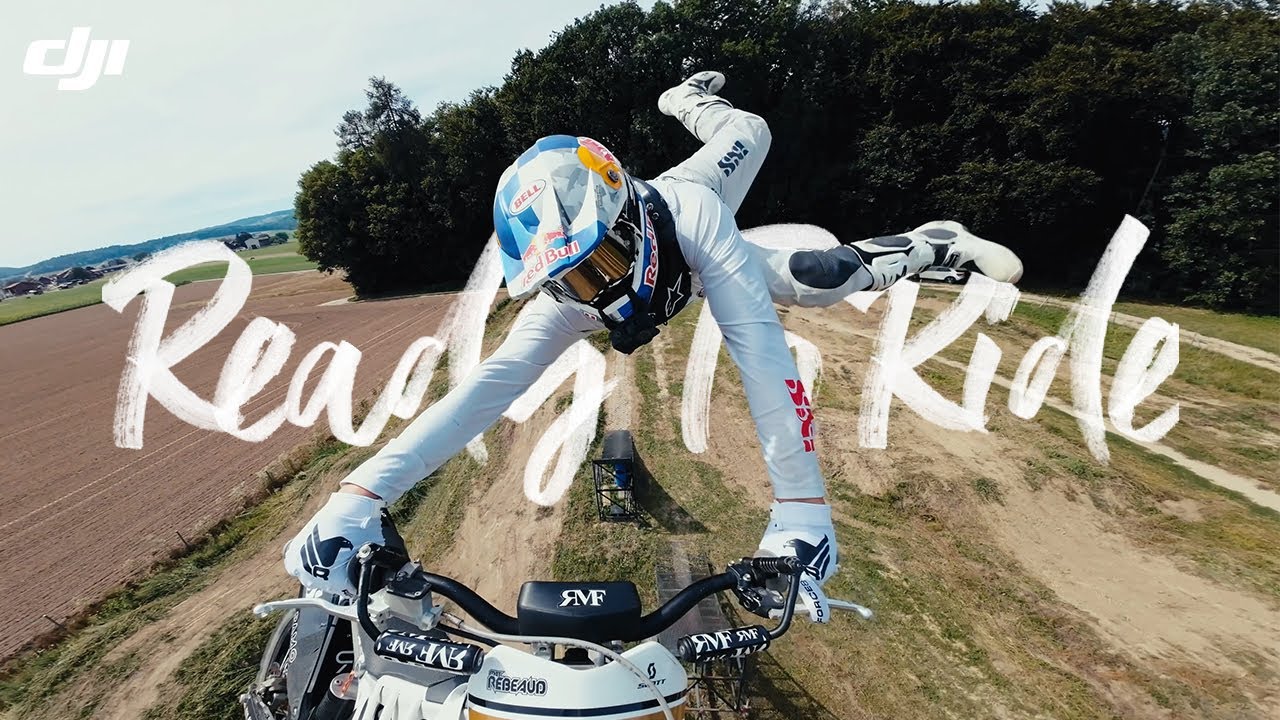
DJI Osmo Action 3 - Ready To Ride

The DJI Osmo Action 3 launched in September 2022 and disrupted the action camera market by delivering genuinely competitive stabilization and the longest battery life in its class — at a lower price than GoPro. Now available for around $149–169, it represents exceptional value for motorcycle riders. Here’s an honest, spec-accurate review.

The Osmo Action 3 is an older model and DJI has since released newer Osmo Action cameras. This review is best read as a value comparison; check availability and DJI’s current lineup before buying.

Camera reviewed: DJI Osmo Action 3 | Typical price: roughly $149–169 (varies; check the current listing)

DJI Osmo Action 3: Full Specifications

Spec Osmo Action 3
Sensor 1/1.7-inch, 12MP
Max Video 4K/120fps, 2.7K/120fps, 1080p/240fps
Stabilization RockSteady 3.0 + Horizon Steady
Field of View 155° (Ultrawide) / 122° (Wide) / 86° (Normal)
Battery Life ~160 min at 1080p/60fps — longest in class
Waterproof 11m without housing
Dual Screen Yes — 2.25″ rear + 1.4″ front
Weight 145g with battery
Operating Temp -10°C to 40°C
Current Price ~$149–169 (Adventure Combo ~$199)

Why Motorcycle Riders Are Choosing the Osmo Action 3

Battery Life That Outlasts Long Rides

At 160 minutes of recording at 1080p/60fps, the Osmo Action 3 is the only action camera in this price range that can handle a full morning ride without a battery change. GoPro Hero 11 manages ~70 minutes at comparable settings. For touring riders, commuters, and anyone who doesn’t want to stop mid-ride to swap batteries, this is the deciding factor.

At 4K/60fps, expect around 95 minutes — still significantly better than the competition. A USB-C power bank connection extends recording indefinitely.

RockSteady 3.0: Real Stabilization Performance

DJI’s RockSteady 3.0 electronic image stabilization handles motorcycle vibration effectively at highway speeds. The Horizon Steady mode keeps the horizon level through ±45° of camera tilt — useful when mounts settle or shift over long rides.

Manufacturer claims and published comparisons suggest the Osmo Action 3 and GoPro Hero 11 (HyperSmooth 5.0) deliver broadly comparable stabilization at highway speeds. Real-world results vary by mount, helmet and road surface.

Dual Screen for Angle Confirmation

The 1.4-inch front-facing touchscreen is a practical feature for motorcycle use: you can confirm your framing after mounting without removing the camera from the helmet. GoPro cameras require the Quik app or a separate monitor to do the same thing.

Best Settings for Motorcycle Use

Road Riding / Motorway

  • Mode: 4K / 60fps
  • Stabilization: RockSteady 3.0 ON
  • Horizon Steady: ON
  • FOV: Wide (less distortion than Ultrawide, better for road footage)
  • Color: D-Cinelike if you edit; Normal if straight-to-social
  • ISO Max: 6400 (daytime) — lower if bright conditions create noise

Track Day / Performance Riding

  • Mode: 4K / 120fps (for slow-motion technique analysis)
  • Stabilization: RockSteady Standard (Boost crops in too much)
  • Shutter: 1/240s at 120fps
  • FOV: Normal or Wide

Adventure / Dual Sport

  • Mode: 2.7K / 60fps
  • Stabilization: RockSteady 3.0 + Horizon Steady ON
  • FOV: Ultrawide (captures more trail/scenery on both sides)

Osmo Action 3 vs. Osmo Action 4 vs. Action 5 Pro: Which to Buy?

Action 3 Action 4 Action 5 Pro
Price ~$149 ~$199 ~$269
Sensor size 1/1.7″ 1/1.3″ 1/1.3″
Max resolution 4K/120fps 4K/120fps 4K/120fps
Battery (4K/60fps) ~95 min ~100 min ~130 min
Low light Good Better (larger sensor) Best in class
Stabilization RockSteady 3.0 RockSteady 3.0 RockSteady 4.0

Buy the Action 3 if budget is the priority — it covers 95% of riding scenarios at the best price per performance. Buy the Action 4 or 5 Pro if you ride frequently at dawn/dusk/night where the larger sensor’s low-light advantage matters.

Mounting the Osmo Action 3 on a Motorcycle Helmet

The Action 3 ships with DJI’s magnetic quick-release mount system. For helmet use, the recommended approach:

  • Chin mount: DJI’s Helmet Chin Mount is compatible with the Action 3 and 4. Third-party options from ULANZI and Telesin also work and are cheaper (~$15–20 vs. DJI’s $29).
  • Top mount: DJI’s Action Camera Universal Mount clips to vented helmet straps. Use a thin foam pad under the adhesive mount on smooth helmets.
  • GoPro adapter: The Action 3 uses a standard 1/4″-20 thread and GoPro-compatible mount, so the entire GoPro accessory ecosystem is compatible.

Verdict

The DJI Osmo Action 3 is a strong-value motorcycle helmet camera among the models compared here. At around $149, it offers 4K stabilization, long rated battery life and a dual-screen design at a price well below the GoPro Hero 13. The main reasons to pay more for the Hero 13 are if you specifically need 5.3K resolution or the expanded modular lens ecosystem.

Use our free Settings Optimizer to dial in the exact configuration for your DJI Osmo Action 3 and riding conditions.

Frequently Asked Questions

Is the DJI Osmo Action 3 waterproof?

Yes — rated to 11 metres without a housing. It handles rain riding, river crossings, and water sports without any additional protection.

What memory card does the Osmo Action 3 need?

A V30-rated microSD card minimum for 4K recording. SanDisk Extreme 128GB or Samsung PRO Endurance 128GB are the most reliable options. Avoid budget cards — they cause recording errors at high bitrates.

Can I use GoPro mounts with the DJI Osmo Action 3?

Yes — DJI includes a GoPro-compatible adapter in the box, so it works with any GoPro mount system including GoPro’s own chin mounts and third-party RAM mounts.

Official resources: DJI Osmo Action 3 official page | Full specifications.

DJI Osmo Action 3: Ultra Wide vs Wide Angle for Motorcycle Filming

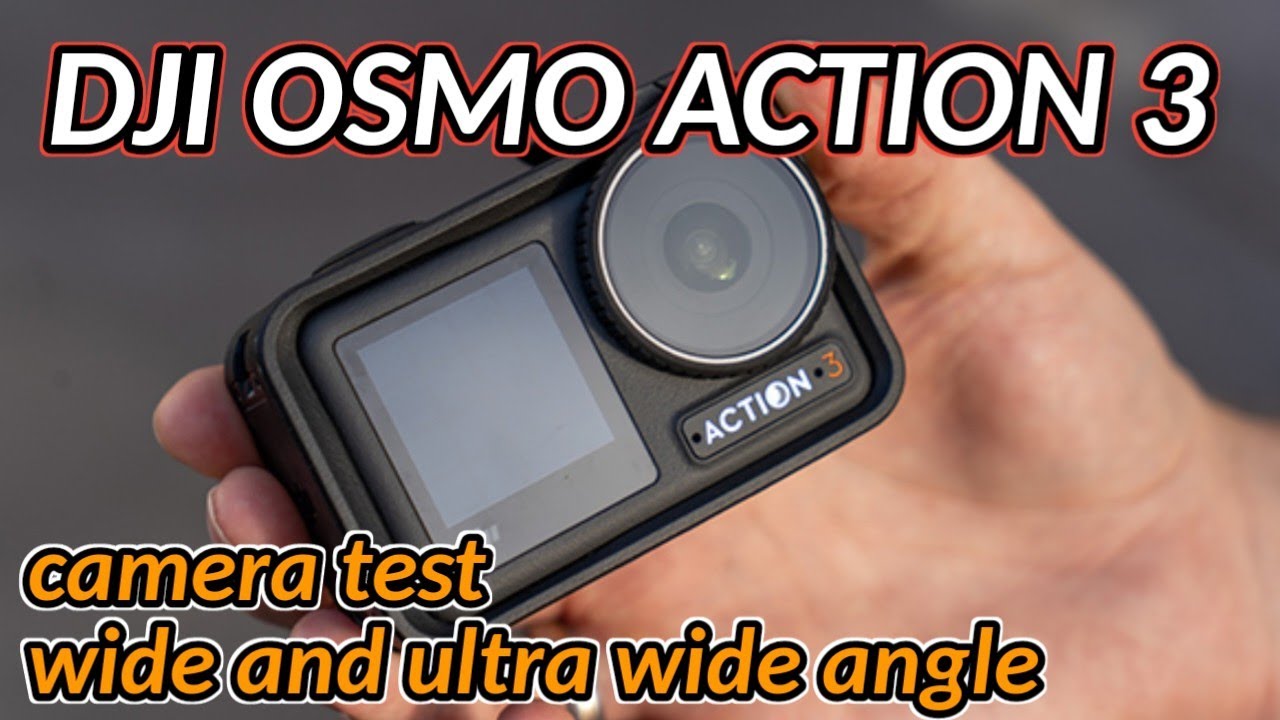
DJI OSMO ACTION 3 CAMERA TEST | 1080P 60FPS | ULTRA WIDE and WIDE angle | next video for review

Reviewed by the Digital Helmet Cameras Editorial Team. Based on manufacturer specifications and publicly available user feedback; not independent lab or road testing. Prices and availability change, so check current listings.

Why Field of View Matters More Than Most Riders Realize

The DJI Osmo Action 3 offers two primary field of view (FOV) modes: Ultra Wide (about 155°) and a narrower Wide mode (roughly 145°; check DJI’s spec page for exact figures). That difference sounds small on paper. On a motorcycle, it has a meaningful effect on how your footage looks, how well stabilization performs, and how natural the riding perspective appears to a viewer.

This guide compares both settings across the conditions that matter most for motorcycle use (winding roads, highway sections and scenic overlooks), based on how field of view and stabilization interact, to help you choose which to use and when to switch.

Understanding the Two FOV Modes

Ultra Wide

The Ultra Wide setting captures almost the full peripheral field of vision — you see the full width of a canyon road, the sky above, and the road surface below simultaneously. For motorcycle riding, this creates a highly immersive first-person perspective. It’s also more forgiving for mounting angle: small errors in vertical alignment matter less when you’re capturing such a broad swath of the scene.

The tradeoff is distortion. At this angle, the edges of the frame curve noticeably. Straight road edges and horizon lines bow. This looks natural for action footage — our brains accept the fisheye perspective in an action context. It looks wrong in any situation where the camera is meant to represent natural vision, like a slow-paced scenic ride where distortion draws attention to itself.

Wide (narrower)

The narrower Wide setting produces a more natural-looking image with significantly less edge distortion. Straight lines stay straighter. The horizon reads as horizontal. The perspective is closer to what a camera mounted at eye level would naturally see.

The tradeoff: you lose scene coverage at the edges. In tight canyon sections where the road curves close to both sides of the frame, you may clip the edge of the road. For riders who publish content where visual quality matters over immersiveness — touring videos, scenic route documentation — Wide often produces more polished-looking footage.

Stabilization: How FOV Affects Performance

The Osmo Action 3’s RockSteady stabilization works by digitally cropping into the recorded frame to compensate for movement. Ultra Wide mode, with its larger original field of view, gives the stabilization algorithm more pixel data to work with before the crop.

The likely result: stabilization has slightly more room to work in Ultra Wide mode, so on rough chip-seal roads Ultra Wide footage may be marginally smoother than Wide footage with the same settings. Any difference is small, and results vary with mount, road surface and settings.

For most paved motorcycle riding, both modes stabilize well. If you’re doing off-road or ADV riding on rough surfaces, Ultra Wide gives the stabilization algorithm more headroom.

Which FOV Suits Which Scenario

These suggestions are based on how each mode behaves, not on measured results.

Scenario Better FOV Why
Tight canyon roads with close walls or guardrails Ultra Wide Captures full road width; immersive feel matches the confined space
Open mountain highways with long sight lines Wide Reduces distortion; horizon looks natural in scenic footage
Dense forest single-track or ADV trails Ultra Wide Maximum coverage; stabilization handles rough surface better
Group ride footage looking back at following riders Wide Less facial distortion on riders close to frame edges
Selfie-style clips at pull-offs Ultra Wide Includes more background scenery at arm’s length
Tunnel entry/exit transitions Ultra Wide More scene data helps stabilization handle the camera adjustment

1080p 60fps: Why This Resolution Makes Sense for Motorcycle Riders

1080p at 60fps is often underestimated as a “lesser” setting compared to 4K, but for motorcycle riders it’s worth understanding when it makes sense:

  • Storage efficiency: 1080p/60fps files are roughly 25% the size of 4K/60fps files. On a long touring day, this matters for card capacity.
  • Playback compatibility: 1080p is natively compatible with every platform and device without transcoding.
  • Slow motion: 1080p/60fps plays back at 2x slow motion in a 30fps timeline — enough for smooth corner highlights without stepping up to 4K/120fps (which produces much larger files).

For daily riding documentation and social media, 1080p/60fps is a practical choice. For content you plan to display on large screens or that represents showcase routes, 4K is worth the storage.

Recommended Settings for Motorcycle Use

A suggested starting configuration for the DJI Osmo Action 3 on a motorcycle (adjust to your conditions):

  • FOV: Ultra Wide as default; switch to Wide for open, scenic routes or group footage
  • Resolution: 4K/60fps for canyon riding and feature content; 1080p/60fps for all-day touring
  • Stabilization: RockSteady ON for all moving footage; HorizonSteady for switchback and aggressive cornering sections
  • White Balance: Auto on sunny days; lock to Cloudy (6500K) on overcast days to prevent color shift

Find the DJI Osmo Action 3 on Amazon or at dji.com. For detailed setup and mounting guidance, see our full DJI Action Camera guide.

DJI Osmo Action 3 vs Insta360 X3 vs GoPro Hero 11 for Motorcycles: Comparison

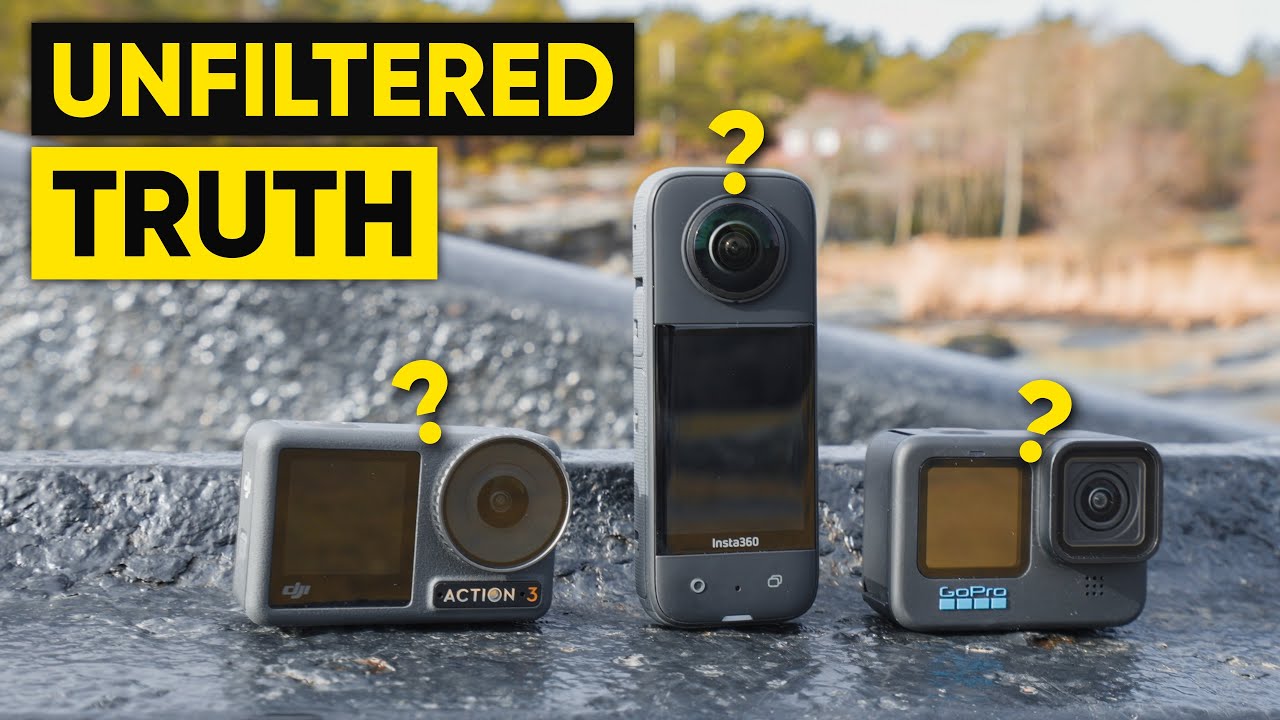
DJI Action 3 vs Insta360 X3 vs GoPro HERO 10/11 - 6 Months Later HONEST Review!

Reviewed by the Digital Helmet Cameras Editorial Team. Based on manufacturer specifications and publicly available user feedback; not independent lab or road testing. Prices and availability change, so check current listings.

What Matters for Motorcycle Riders

This comparison looks at the DJI Osmo Action 3, the Insta360 X3 and the GoPro Hero 11 Black side by side, not just by which has the highest spec on paper but by which is designed to hold up to daily riding. It draws on manufacturer specifications and publicly available owner feedback; we have not run our own head-to-head test.

All three are older models. Check current lineups from DJI, Insta360 and GoPro before buying; this comparison is best used as a value guide.

DJI Osmo Action 3

Strengths

The magnetic mount system is one of the Action 3’s standout features for motorcycle use. It is designed to make swapping the camera between a helmet and a handlebar mount quick, even with gloves on, and it is generally described as faster than the mounts on the other cameras here.

DJI has shipped firmware updates that improved stabilization since launch, and HorizonSteady mode is reported to handle aggressive lean angles well, which matters on winding roads where you are constantly banking through corners.

Limitations

Low-light performance is the Action 3’s most commonly reported weakness. Dawn starts and tunnel passages are reported to produce more noise than the GoPro and more still than the Action 4. For riders who do a lot of early-morning or late-evening riding, this is a real limitation.

The companion app (DJI Mimo) is stable but basic. For anything beyond quick previews and simple edits, expect to move files to a desktop.

Insta360 X3

Strengths

The ability to decide on framing after the ride is a genuine advantage of 360° footage. When something unexpected happens, such as wildlife crossing or a scenic moment, the X3 captures the whole scene, which can turn footage that would otherwise be discarded into well-composed clips in post.

Insta360’s mobile app offers AI-assisted Auto Frame, which tracks movement and produces edits automatically. For sharing on social media without desktop editing time, this is the fastest workflow of the three cameras.

Limitations

The dual-lens bubble design calls for a protective case for serious motorcycle use, since gravel, road grit and low-speed tip-overs threaten the lenses. With a case, the camera is bulkier than either competitor and more aerodynamically intrusive on the helmet.

Battery life in 360° mode is the shortest of the three, at roughly 60-65 minutes by published and user-reported figures, so a full riding day means more battery management. Single-lens 4K mode extends runtime but loses the reframing advantage.

Low-light 360° footage tends to show more grain than single-lens mode, since the dual-lens design limits sensor size per lens.

GoPro Hero 11 Black

Strengths

The ecosystem is the Hero 11’s biggest advantage. Third-party mounts, lens mods and accessories are widely available. The Max Lens Mod gives a 177° field of view that approaches the X3’s immersiveness for a fraction of the bulk, and the accessory library means you can solve almost any mounting challenge without custom solutions.

In low light, GoPro’s larger sensor is generally reported to give the Hero 11 the cleanest footage of the three, with better dynamic range and less noise at dawn or in shaded forest roads.

Limitations

Touchscreens on most action cameras become less responsive in cold weather or with gloves, and the Hero 11 is no exception. Set modes before you ride.

Charging speed is the weakest of the three. On long days, topping up a battery during a rest stop takes longer than with DJI’s fast-charge system.

Which Camera for Which Rider

Rider Type Suggested Camera Why
Daily commuter and weekend rider who wants minimal hassle DJI Osmo Action 3 Quick mount swaps, HorizonSteady stabilization, fast charging on the go
Content creator who publishes riding footage regularly Insta360 X3 Reframe after the ride; saves footage you would otherwise discard
Rider who prioritizes footage quality in all light conditions GoPro Hero 11 Black Strong low-light reputation, most complete accessory ecosystem

Based on published specifications and owner feedback: the DJI Osmo Action 3 suits daily riding best, the GoPro Hero 11 is the strongest choice for dawn and mountain riding where low light matters, and the Insta360 X3 is worth the extra bulk specifically for content that will be edited and shared, where the reframing workflow pays off.

Check current pricing: DJI Osmo Action 3 on Amazon | Insta360 X3 on Amazon | GoPro Hero 11 Black on Amazon

See also our GoPro vs DJI vs Insta360 comparison for a comparison that includes newer models.

DJI Osmo Action 3 for Motorcycle Riding: Long-Term Durability Considerations

DJI OSMO ACTION 3 Long Term Review

Reviewed by the Digital Helmet Cameras Editorial Team. Based on manufacturer specifications and publicly available user feedback; not independent lab or road testing. Prices and availability change, so check current listings.

Why Long-Term Use Matters

Most action camera reviews are written within days of unboxing. That is useful for specs and first impressions, but it says less about what matters for motorcycle riders: how a camera holds up after months of engine vibration, UV exposure, temperature cycling and regular use. This guide looks at those long-term considerations for the DJI Osmo Action 3 using DJI’s published specifications, general knowledge of how action cameras age, and publicly available owner feedback. We have not run our own long-term test.

The Osmo Action 3 is an older model, and DJI has since released newer Osmo Action cameras. Treat this as a value and durability guide, and check DJI’s current lineup before buying.

What Tends to Matter Over Time

The Magnetic Mount System

The magnetic quick-release system is one of the Action 3’s headline features. It is designed to let you move the camera from a helmet chin mount to a handlebar mount quickly, even with gloves on. Magnetic mounts are sometimes assumed to be less secure than mechanical locks at highway speed, but DJI designed the system to hold reliably. A wrist tether or safety strap is still sensible insurance regardless of mount system.

Heat

Early Action 3 reviews in 2022 flagged overheating as a concern. In motorcycle use this is generally less of an issue, because a helmet-mounted camera sits in moving air, and DJI has released firmware updates that address thermal behavior. The scenario to watch is stationary recording in direct sun, such as a long stop with the camera running and facing the sun. Stop recording during extended breaks, which also saves storage.

Stabilization

RockSteady 3.0 is software-driven, so stabilization quality does not depend on mechanical wear. On smooth tarmac, electronic stabilization can produce very smooth footage. On rough chip-seal roads, some residual jitter is normal with any electronic stabilization system. HorizonSteady keeps the frame level through lean angles and is popular for canyon riding.

Battery Aging

Lithium-ion batteries lose capacity gradually with charge cycles. After a year or more of regular use, it is reasonable to expect noticeably shorter runtimes than the rated figure, and a spare battery that has seen fewer cycles will hold up better. This is normal aging and applies to GoPro and Insta360 batteries too. A USB-C power bank and a charging routine at fuel stops help on touring days.

Common Wear Points to Inspect

  • Lens protector: Front protectors collect micro-scratches from dust and grit. Replacement protectors are inexpensive, and replacing them periodically is normal maintenance.
  • Touchscreen: Touchscreens on most action cameras become less responsive in cold weather or with gloves, so plan to set modes before you ride.
  • Battery door and seals: Inspect latches and seals periodically, especially after dusty or wet rides, since waterproofing depends on them.

Firmware Updates

DJI has released firmware updates for the Action 3 since launch, including stabilization and exposure improvements. Check for updates periodically via the DJI Mimo app or dji.com’s downloads page.

Is It Worth Buying Now?

Because newer models exist, the Action 3 is often available at a lower price than at launch. For riders who mostly ride in good light and prioritize value, it can still be a sensible choice. The Action 4’s larger sensor is generally considered a meaningful upgrade for low-light riding. Check the current price on Amazon or at dji.com for bundle options.

Long-Term Summary

Factor What to expect Notes
Magnetic mount Designed for repeated use Use a tether regardless
Stabilization Software-based; does not wear Firmware updates may improve it
Battery life Declines gradually with cycles Normal lithium-ion aging
Heat Less of an issue in moving air Avoid stationary recording in direct sun
Wear items Lens protector, seals, latches Inspect and replace as needed

The DJI Osmo Action 3 has a strong reputation as a reliable, durable motorcycle camera. The main takeaway: it is designed to get out of the way and let you ride.

Get Your Download Immediately

Get Instant access to our Digital Helmet Camera ebook

You have Successfully Subscribed!