What Is a Digital Helmet Camera? Complete Guide for Motorcycle Riders

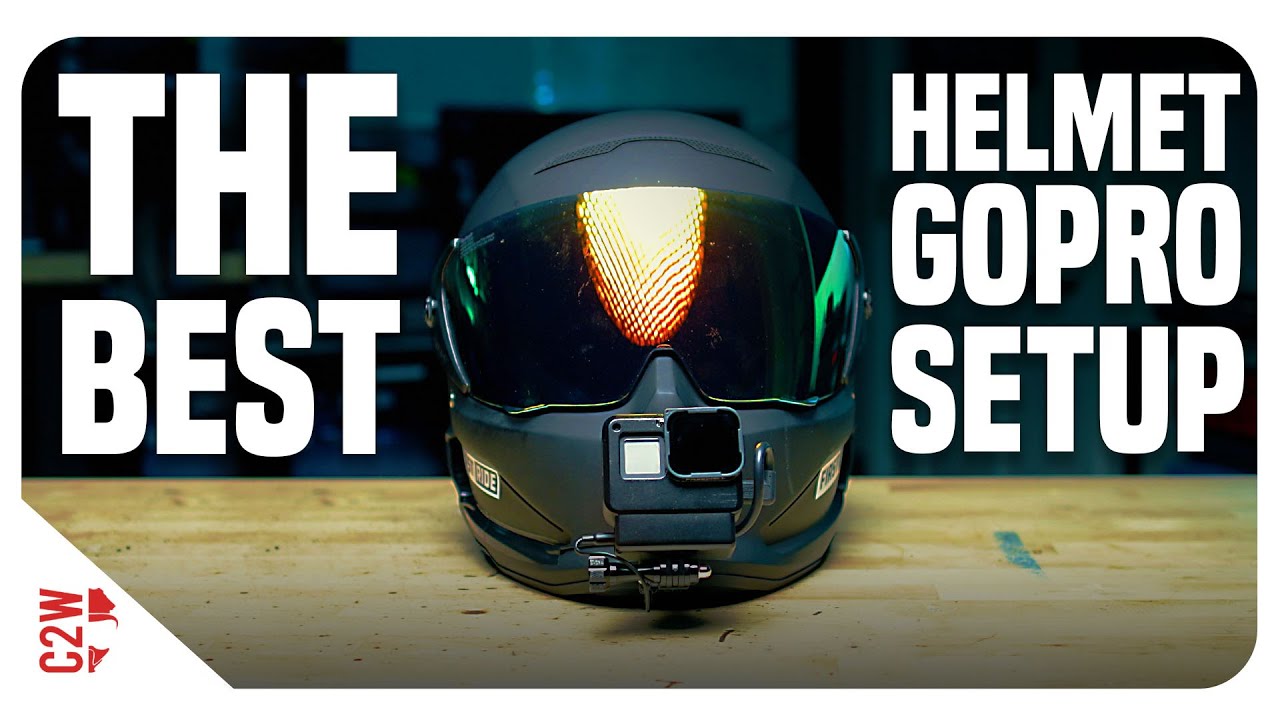
THIS is THE BEST Helmet GoPro Setup!! | Motorcycle Helmet Camera

A helmet camera turns every ride into footage you can watch, share, and learn from. Whether you’re a daily commuter who wants protection in case of an incident, an adventure rider documenting remote roads, or a motovlogger building an audience on YouTube, a helmet camera changes how you experience and remember riding. This guide explains exactly what helmet cameras are, how they work, and how to choose the right one.

What Is a Digital Helmet Camera?

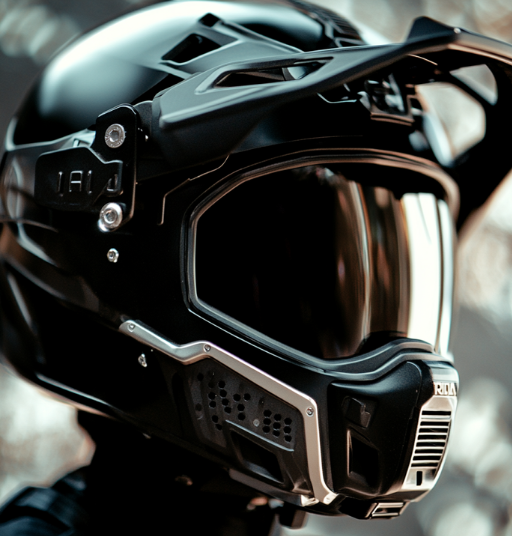
A digital helmet camera is a compact action camera or purpose-built device mounted to a motorcycle, cycling, or sports helmet to record point-of-view video footage. The camera captures your perspective — what you see through the visor — creating first-person footage that’s become one of the most popular formats in motorcycle and action sports content.

Modern helmet cameras are waterproof, shock-resistant, and capable of recording in 4K resolution with electronic image stabilization that compensates for vibration, bumps, and camera movement. They’re small enough to mount without significantly affecting aerodynamics and light enough that you don’t feel them during a ride.

The Main Types of Helmet Cameras

General-Purpose Action Cameras

The most common type. Cameras like the GoPro Hero 13 Black, DJI Osmo Action 5 Pro, and Insta360 X5 are designed for any action sport but are widely used for helmet mounting. They offer the best image quality, the widest accessory ecosystems, and the most mount options.

Best for: Riders who want the best image quality and use the camera across multiple activities.

Purpose-Built Motorcycle Cameras

Cameras designed specifically for motorcycle use. Examples include the Techalogic DC-1 (dual-lens front/rear recording) and INNOVV H5 (integrated into the helmet). These prioritise continuous recording, loop recording, and incident detection over cinematic quality.

Best for: Commuters and riders who want always-on safety recording without managing files.

360-Degree Cameras

Cameras with lenses on both sides that capture a complete 360° sphere. The Insta360 X5 is the leading example. You choose your viewing angle in post-production, which allows you to reframe any shot after the fact. A 360° camera on a helmet can simultaneously capture front, side, and rear perspectives from a single recording.

Best for: Content creators who want maximum flexibility and the ability to create dynamic, reframeable footage.

How to Choose a Helmet Camera

Step 1: Define Your Primary Use Case

Use Case Recommended Camera Type Key Feature
Daily commuting / safety recording Purpose-built (Techalogic DC-1) Loop recording, dual lens, simple operation
YouTube motovlogging Action camera (GoPro Hero 13) 4K quality, HyperSmooth, mic compatibility
Adventure touring Action camera (DJI Osmo Action 5 Pro) Battery life, waterproofing, dual screen
Track days / racing Action camera (GoPro Hero 13) 120fps, GPS overlay, proven durability
Instagram Reels / TikTok content 360° (Insta360 X5) Reframeable footage, invisible selfie stick

Step 2: Know Your Helmet Type

Your helmet determines what mounting options are available:

  • Full-face: All mount options available — chin mount (best), top mount, side mount
  • Open-face: Top mount and side mount only; chin mounts require a half-visor extension bracket
  • Modular/flip-front: Top mount works well; chin mount requires compatible chin bar adapter
  • Half helmet: Top mount only; limited to cameras with compact form factors

Step 3: Set a Realistic Budget

The honest breakdown by budget tier:

  • Under $100: Generic no-name cameras — avoid for motorcycle use. Stabilization fails at speed and quality is inadequate.
  • $150–200: GoPro Hero (entry-level), older Insta360 GO 2, Techalogic DC-1. Acceptable for commuting and basic documentation.
  • $200–300: DJI Osmo Action 3/4, GoPro Hero 12. The value sweet spot — genuine 4K stabilization at a reasonable price.
  • $300–400: GoPro Hero 13 Black, Insta360 GO 3S. The best all-round cameras for most riders.
  • $400–500: Insta360 X5, DJI Osmo Action 5 Pro. Premium options for serious content creators.

Key Specifications Explained

Image Stabilization

The most important spec for motorcycle use. Modern EIS systems (GoPro HyperSmooth, DJI RockSteady) analyse motion thousands of times per second and digitally compensate. Look for cameras with named stabilization systems — generic “EIS” without a version number usually means basic or ineffective stabilization.

Waterproofing

Look for IP67 or IP68 rating, or the manufacturer’s stated depth rating without a housing. The GoPro Hero 13 and DJI Osmo Action 5 Pro are both waterproof to 10–11 metres without any additional case.

Field of View

Measured in degrees. Wider = more of the scene captured, but more fisheye distortion at the edges. For motorcycle use, 120°–135° (Wide/Linear setting) gives an immersive view without excessive distortion. SuperWide (155°+) is better for action sports where context matters more than accuracy.

Popular Helmet Camera Brands

  • GoPro — the original action camera company; widest accessory ecosystem; Hero 13 Black is the current flagship
  • DJI — dominant drone manufacturer; Osmo Action 5 Pro has the best battery life in class
  • Insta360 — pioneers of 360° cameras; X5 and GO 3S are their flagship action cameras
  • Techalogic — UK-based motorcycle specialist; DC-1 is the leading purpose-built motorcycle helmet camera
  • INNOVV — motorcycle-specific cameras; H5 integrates inside helmet; K6 is a motorcycle dashcam system
  • Sena — primarily Bluetooth headsets; 50C integrates camera and comms in one unit

Getting Started: Next Steps

If you’re new to helmet cameras, the fastest route to the right camera is our AI Camera Recommender — it takes 60 seconds, asks about your helmet type, riding style, and budget, and gives you a specific recommendation with current pricing.

Already know which camera you want? Check our Mount Advisor tool to find the best mount for your specific helmet and camera combination.

Frequently Asked Questions

Are helmet cameras legal?

In most countries and US states, yes — there are no laws specifically banning helmet cameras. Audio recording laws vary by state. Some jurisdictions have specific rules about protruding objects on helmets. See our dedicated legal guide for details.

Will a helmet camera affect my helmet’s safety rating?

Adhesive mounts that bond to the helmet shell can technically void some helmet certifications under strict interpretation. Chin mounts that clamp to the chin bar without modifying the shell generally do not. If certification integrity is critical (racing regulations, insurance), use a mount that doesn’t modify the helmet.

How much storage do I need?

At 4K/60fps, most action cameras record approximately 4–5 GB per hour. A 128GB card gives you 25–30 hours of recording — adequate for any ride. Use a V30-rated microSD card (SanDisk Extreme or Samsung PRO Endurance) to avoid recording errors at high bitrates.

Official resources: GoPro action cameras | DJI action cameras | Insta360 action cameras.

Best Slow-Motion Settings for Motorcycle Helmet Cameras (120fps & 240fps Guide)

GoPro: Top 10 Slow Motion Action

Slow motion footage from a helmet camera is one of the most effective tools for creating compelling motorcycle content — and for analysing your own riding technique. But getting it right requires specific settings that most riders don’t configure correctly. This guide covers the exact slow-motion settings for GoPro Hero 13, DJI Osmo Action 5 Pro, and Insta360 cameras, plus when to use each mode for the best results.

How Slow Motion Works: The Basics

Slow motion video is simply footage recorded at a higher frame rate than it’s played back. Standard video plays at 24 or 30fps. If you record at 120fps and play back at 30fps, the footage plays at 1/4 speed — four times slower than real time.

Record at Play back at Slow-motion factor Looks like
60fps 30fps 2x slower Subtle — smooth movement
120fps 30fps 4x slower Clear slow-motion effect
240fps 30fps 8x slower Very dramatic slow motion
240fps 24fps 10x slower Cinema slow motion

Best Slow-Motion Settings by Camera

GoPro Hero 13 Black

The Hero 13 is the most capable action camera for slow motion in its price range:

  • 4K / 120fps — Best quality slow motion. 4x slow at full HD playback. Use this for: corner sequences, jump footage, arrival/departure shots at speed.
  • 2.7K / 240fps — 8x slow motion with excellent quality. Use this for: water splashes, tyre roost, crash analysis, jump apexes in motocross.
  • 1080p / 240fps — 8x slow motion. Lower resolution but useful for long takes where storage matters.

Critical shutter speed setting: At 120fps, set shutter to 1/240s. At 240fps, set shutter to 1/480s. This follows the “180° shutter rule” — shutter speed double the frame rate — and creates natural motion blur that makes slow motion look cinematic rather than stiff.

Stabilization at high frame rates: HyperSmooth Boost is not available at 4K/120fps on the Hero 13 — use Standard mode. The difference is minimal at the speeds involved in slow-motion sequences.

DJI Osmo Action 5 Pro

  • 4K / 120fps — RockSteady 3.0 applies at this mode. Very smooth 4x slow motion suitable for cinematic sequences.
  • 2.7K / 120fps — More stable than 4K at the same frame rate due to slightly more crop tolerance.
  • 1080p / 240fps — 8x slow motion. Adequate for action sequences where full resolution isn’t needed.

Note: The Action 5 Pro does not offer 240fps at 4K. For maximum slow motion quality, use 2.7K or 1080p at 240fps, or 4K at 120fps for the best balance.

Insta360 X5

The X5 handles slow motion differently because of its 360° format:

  • 5.7K 360° / 30fps normal speed — then apply FlowState stabilization and reframe in the app.
  • 4K Single Lens / 100fps — Approximately 3x slow motion. Limited compared to GoPro/DJI for slow motion but the reframing advantage compensates.

For slow-motion motorcycle content with the X5, plan to reframe in the Insta360 Studio app: choose your angle, apply FlowState, then export. The result looks like a tracking shot that follows the action — which is more professional-looking than a fixed-angle slow-motion clip.

Top 8 Motorcycle Slow-Motion Shots Worth Capturing

1. Corner Entry and Exit

At 120fps, the moment of turn-in and lean becomes visually dramatic. Position your chin mount camera and review the footage to see your own body position and technique. For content, corner sequences at 4x slow are universally engaging.

2. Tyre Roost and Gravel Spray

The debris thrown by tyres is invisible in real time — at 240fps it becomes a shower of individual rocks and dust. Best captured from a third-party camera position, not helmet mount.

3. Jump Apex

The split-second when a motorcycle is fully airborne at the top of a jump is peak motocross content. 240fps captures the full arc and landing with enough detail to see suspension compression.

4. Water Splash / River Crossing

Adventure riding through water features is iconic. At 120–240fps, water spray creates dramatic visual patterns. The Osmo Action 5 Pro and GoPro Hero 13 are both fully waterproof — no additional housing needed.

5. Gear Change Sequence

A close-up mount on the gear lever at 240fps captures the mechanical precision of a racing gear change. Difficult to set up but a uniquely detailed shot that enthusiast audiences appreciate.

6. Arrival at a Layby or Summit

Slowing down from cruising speed to a stop at a scenic location — at 120fps this becomes a graceful arrival shot. Pair with wide FOV to include landscape context.

7. Gravel Road Spray

On unpaved roads, the rooster tail of gravel and dust thrown up at speed becomes cinematic at 120fps. Best captured by a second rider following at a safe distance.

8. Low-Sun Riding

Early morning or late evening light creates dramatic lens flare and shadow patterns at regular speed. In slow motion at 120fps, light shifts become visible movement — the landscape changes as you move through it.

Editing Slow-Motion Footage

Key editing principles for slow-motion motorcycle clips:

  • Don’t over-use it — slow motion is most effective as punctuation. Two or three slow-motion moments in a 3–5 minute video is ideal. Full-length slow-motion rides become fatiguing to watch.
  • Match music to playback speed — slow-motion sequences need slower, more dramatic music. Beat-sync slow-motion to a music breakdown is a proven formula.
  • Cut before the interesting moment, not at it — start your slow-motion clip slightly before the peak action. The lead-in makes the action hit harder.
  • DaVinci Resolve’s Speed Ramp — ramp from normal speed into slow motion and back out. This transition style is used in professional automotive and motorcycle content.

For personalized settings recommendations for your specific camera and riding conditions, use our Footage Settings Optimizer tool.

Frequently Asked Questions

Why does my slow-motion footage look choppy?

Most likely cause: the footage was recorded at 120fps but not interpreted correctly in your editing software. Import the clip and change the playback speed to 25% (for 120fps played at 30fps) or confirm your NLE has auto-detected the high frame rate. If using GoPro Quik, the slow motion is applied automatically.

Does slow motion use more battery and storage?

Yes — higher frame rates increase both data rate and processor load. At 4K/120fps on the GoPro Hero 13, battery life drops to approximately 50 minutes vs. 90 minutes at 4K/60fps. Storage: 4K/120fps uses approximately 8–9 GB per hour. Use a 128GB card minimum for extended slow-motion sessions.

What’s the difference between 120fps and 120p on camera menus?

They mean the same thing. Some cameras use “fps” (frames per second) and others use “p” (progressive scan) to describe frame rate. 120fps = 120p = the same 120 frames per second recording mode.

Official resources: GoPro camera specifications | DJI Osmo Action 4 | Insta360 Ace Pro 2.

Get Your Download Immediately

Get Instant access to our Digital Helmet Camera ebook

You have Successfully Subscribed!