How to Mount a GoPro on a Motorcycle Helmet: Step-by-Step Guide

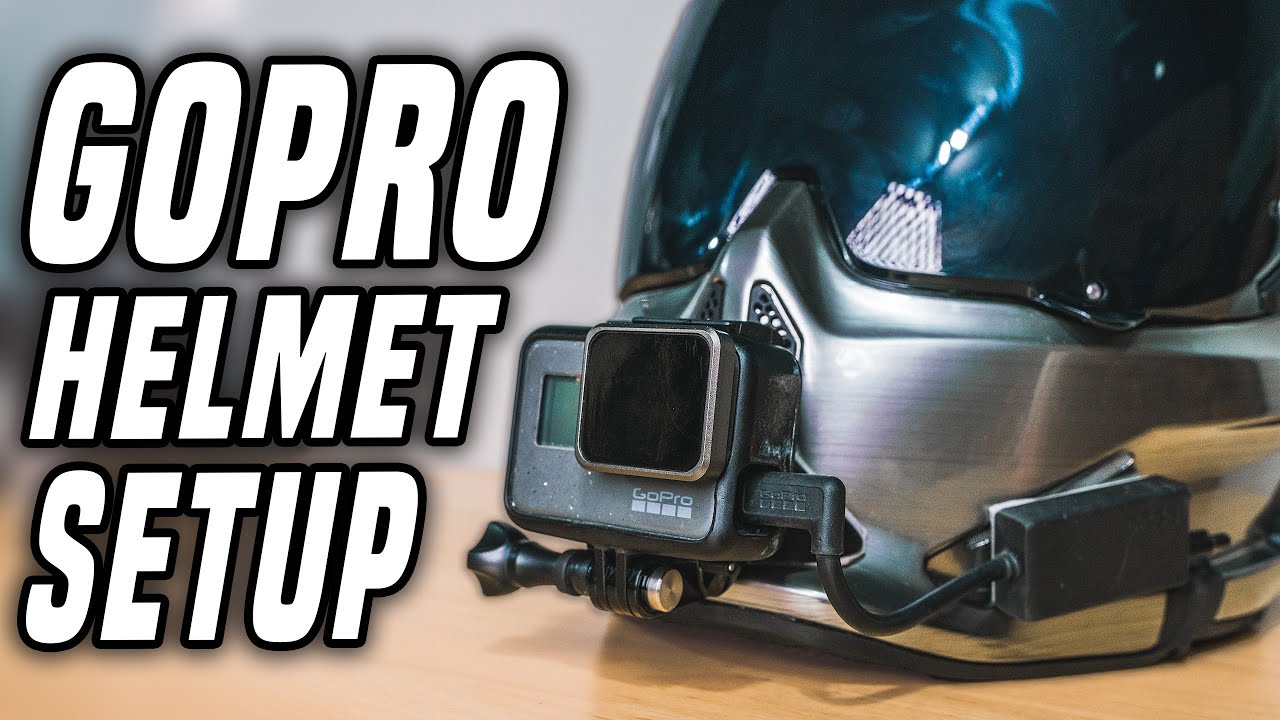
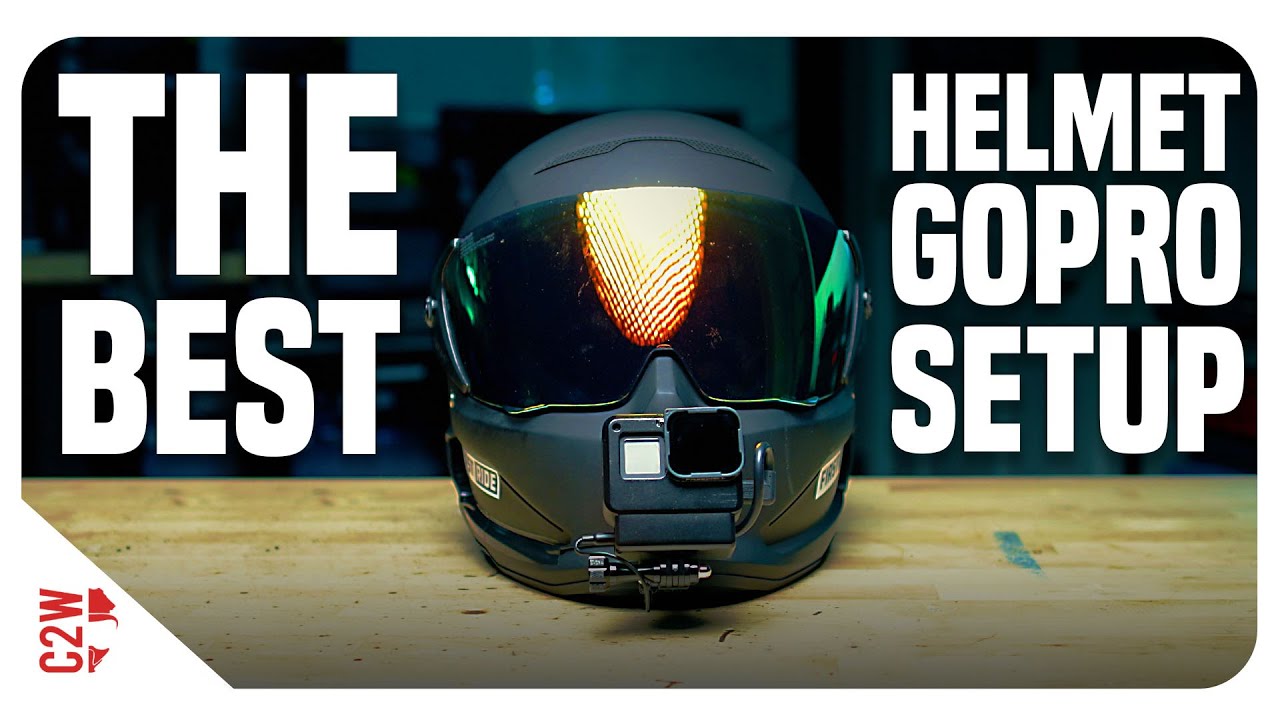
The BEST GoPro Helmet Mount Setup (for EVERY Helmet) | *Plus GoPro settings!*

Mounting a GoPro to a motorcycle helmet is straightforward — but there are several decisions that significantly affect the quality of your footage, the security of the mount, and whether your camera survives a crash. This step-by-step guide covers the three most common mounting methods with specific hardware recommendations for each helmet type.

The Three Main Ways to Mount a GoPro on a Motorcycle Helmet

Method 1: Chin Mount (Best for Full-Face Helmets)

The chin mount is the recommended position for motorcycle filming. The camera sits on the chin bar of your full-face helmet, pointing forward, at roughly eye level.

What you need:

  • GoPro Helmet Chin Mount (~$49.99) OR a compatible third-party chin mount (ULANZI U-400 ~$18, Telesin ~$15)
  • GoPro Hero 13 (or any current GoPro)
  • Optional: Anti-vibration mount pad if you’re on a high-vibration bike

Step-by-step installation:

  1. Identify the correct chin bar adapter for your helmet — the GoPro Helmet Chin Mount ships with multiple adapter plates for different chin bar widths
  2. Slide the adapter around the chin bar and fasten the two securing screws finger-tight first to confirm it sits level
  3. Tighten the screws firmly with the included hex key — the mount should not move when you pull it forward or sideways
  4. Click the GoPro onto the mount’s quick-release clip
  5. Adjust the camera angle downward approximately 10–15° from straight ahead — this compensates for the natural forward lean of your head when riding
  6. Test-record a 30-second clip and review the angle before your first ride

How to check the angle is right: The horizon should appear in the upper third of the frame when you’re in your normal riding position. Too high and you’ll see only road. Too low and you’ll see sky.

Method 2: Top Mount (For Any Helmet Type)

The top mount attaches to the top or back of the helmet and is the standard method for open-face, modular, and half-helmets where a chin mount isn’t possible.

Option A — Vented Helmet Strap Mount (no adhesive, reversible):

  • GoPro Vented Helmet Strap Mount (~$19.99) — adjustable strap fits around any helmet vent system
  • Position the camera as far forward on the helmet as the strap allows
  • Run the strap through two adjacent vents, tighten, and clip the GoPro on
  • Limitation: not as secure as adhesive mounts; can slip on smooth shells

Option B — Adhesive Curved Mount (permanent, most secure):

  • GoPro Curved Adhesive Mount (~$8 for 3-pack)
  • Clean the helmet surface with the included alcohol wipe — adhesive fails on dirty or waxed surfaces
  • Peel the 3M backing and press the mount firmly for 60 seconds in the centre of the top of the helmet
  • Allow 24 hours cure time before riding — the 3M VHB adhesive needs this time to reach full strength
  • Attach the GoPro mount buckle and twist-lock it into position

Important: Adhesive mounts are semi-permanent. Removal is possible but may leave residue or damage helmet paint. Consider this before committing to a smooth-shell helmet.

Method 3: Side Mount

Side mounting uses the same adhesive or strap system as the top mount but positioned at the temple or side of the helmet. This gives an offset angle rather than the standard forward POV.

When to use side mount: For variety shots and creative B-roll when you have a second camera or are doing slow-speed riding. Not recommended for sustained motorway riding due to aerodynamic drag and lateral vibration.

Which Mount Position Is Right For You?

Helmet Type Recommended Mount Product
Full-face (road) Chin mount GoPro Helmet Chin Mount or ULANZI U-400
Full-face (motocross) Chin mount GoPro Helmet Chin Mount with breakaway
Modular/flip-front Top mount (chin works if chin bar is solid) GoPro Vented Strap or adhesive
Open-face / 3/4 Top mount GoPro Vented Strap
Half helmet Top mount (compact camera only) Adhesive curved mount

Securing the Mount for Highway Speeds

At motorway speeds, aerodynamic forces put stress on both the camera and mount. These steps prevent camera loss:

  1. Use the tether — GoPro’s adhesive mounts include a tether attachment point. Thread the included safety tether through the camera’s tether hole and attach to the mount or helmet strap. If the camera detaches, it won’t hit traffic.
  2. Check the quick-release buckle before every ride — pull the camera forward and backward. It should be solid with no movement.
  3. Loctite Blue on the chin mount screws prevents vibration loosening over time without permanently bonding (unlike Red Loctite).
  4. Replace worn thumb screws — the knurled plastic screws on GoPro mounts strip over time. Metal replacement screws (~$5 on Amazon) are far more durable for motorcycle use.

Adjusting Camera Angle for Correct Framing

The GoPro mount buckles allow adjustment in 30° increments. For most riders:

  • Chin mount: position 2 or 3 clicks down from horizontal gives correct horizon placement
  • Top mount: position 1 or 2 clicks down — less correction needed from the elevated position

The exact angle depends on your riding position. Riders with a more aggressive forward lean need less downward tilt than riders in an upright touring position. Do a quick test ride at the start, review the footage, and adjust one click at a time until the horizon sits correctly.

Using the Mount Advisor for Your Specific Setup

Helmet shapes and chin bar profiles vary significantly between brands. Our Mount Advisor tool identifies the specific mount hardware compatible with your helmet model and camera, and recommends the optimal angle adjustment for your riding position.

Frequently Asked Questions

Will a GoPro chin mount fit my Shoei/Arai/Bell helmet?

Most chin mounts include multiple adapter plates for different chin bar widths. GoPro’s own Helmet Chin Mount is compatible with the majority of major helmet brands. For Arai helmets specifically, the narrower chin bar sometimes needs the narrowest adapter plate — check the Mount Advisor for your specific model.

Can I remove an adhesive mount without damaging my helmet?

Yes, with care. Use a hair dryer to warm the adhesive pad for 30 seconds, then use dental floss slid underneath the mount to cut through the adhesive layer. Remove remaining adhesive residue with Goo Gone or isopropyl alcohol. There may be slight paint dulling under the pad if the helmet has a gloss finish.

How do I prevent the GoPro from vibrating loose mid-ride?

Three steps: (1) Check the quick-release buckle is fully engaged (listen for the click). (2) Apply Loctite Blue to the chin mount screws and allow to cure for 24 hours. (3) Use an anti-vibration mount pad underneath if you’re on a high-vibration engine. Replace the twist-lock buckle if you notice any play in the connection.

Official resources: GoPro official mount accessories | GoPro Hero 13 setup guide.
What Is a Digital Helmet Camera? Complete Guide for Motorcycle Riders

THIS is THE BEST Helmet GoPro Setup!! | Motorcycle Helmet Camera

A helmet camera turns every ride into footage you can watch, share, and learn from. Whether you’re a daily commuter who wants protection in case of an incident, an adventure rider documenting remote roads, or a motovlogger building an audience on YouTube, a helmet camera changes how you experience and remember riding. This guide explains exactly what helmet cameras are, how they work, and how to choose the right one.

What Is a Digital Helmet Camera?

A digital helmet camera is a compact action camera or purpose-built device mounted to a motorcycle, cycling, or sports helmet to record point-of-view video footage. The camera captures your perspective — what you see through the visor — creating first-person footage that’s become one of the most popular formats in motorcycle and action sports content.

Modern helmet cameras are waterproof, shock-resistant, and capable of recording in 4K resolution with electronic image stabilization that compensates for vibration, bumps, and camera movement. They’re small enough to mount without significantly affecting aerodynamics and light enough that you don’t feel them during a ride.

The Main Types of Helmet Cameras

General-Purpose Action Cameras

The most common type. Cameras like the GoPro Hero 13 Black, DJI Osmo Action 5 Pro, and Insta360 X5 are designed for any action sport but are widely used for helmet mounting. They offer the best image quality, the widest accessory ecosystems, and the most mount options.

Best for: Riders who want the best image quality and use the camera across multiple activities.

Purpose-Built Motorcycle Cameras

Cameras designed specifically for motorcycle use. Examples include the Techalogic DC-1 (dual-lens front/rear recording) and INNOVV H5 (integrated into the helmet). These prioritise continuous recording, loop recording, and incident detection over cinematic quality.

Best for: Commuters and riders who want always-on safety recording without managing files.

360-Degree Cameras

Cameras with lenses on both sides that capture a complete 360° sphere. The Insta360 X5 is the leading example. You choose your viewing angle in post-production, which allows you to reframe any shot after the fact. A 360° camera on a helmet can simultaneously capture front, side, and rear perspectives from a single recording.

Best for: Content creators who want maximum flexibility and the ability to create dynamic, reframeable footage.

How to Choose a Helmet Camera

Step 1: Define Your Primary Use Case

Use Case Recommended Camera Type Key Feature
Daily commuting / safety recording Purpose-built (Techalogic DC-1) Loop recording, dual lens, simple operation
YouTube motovlogging Action camera (GoPro Hero 13) 4K quality, HyperSmooth, mic compatibility
Adventure touring Action camera (DJI Osmo Action 5 Pro) Battery life, waterproofing, dual screen
Track days / racing Action camera (GoPro Hero 13) 120fps, GPS overlay, proven durability
Instagram Reels / TikTok content 360° (Insta360 X5) Reframeable footage, invisible selfie stick

Step 2: Know Your Helmet Type

Your helmet determines what mounting options are available:

  • Full-face: All mount options available — chin mount (best), top mount, side mount
  • Open-face: Top mount and side mount only; chin mounts require a half-visor extension bracket
  • Modular/flip-front: Top mount works well; chin mount requires compatible chin bar adapter
  • Half helmet: Top mount only; limited to cameras with compact form factors

Step 3: Set a Realistic Budget

The honest breakdown by budget tier:

  • Under $100: Generic no-name cameras — avoid for motorcycle use. Stabilization fails at speed and quality is inadequate.
  • $150–200: GoPro Hero (entry-level), older Insta360 GO 2, Techalogic DC-1. Acceptable for commuting and basic documentation.
  • $200–300: DJI Osmo Action 3/4, GoPro Hero 12. The value sweet spot — genuine 4K stabilization at a reasonable price.
  • $300–400: GoPro Hero 13 Black, Insta360 GO 3S. The best all-round cameras for most riders.
  • $400–500: Insta360 X5, DJI Osmo Action 5 Pro. Premium options for serious content creators.

Key Specifications Explained

Image Stabilization

The most important spec for motorcycle use. Modern EIS systems (GoPro HyperSmooth, DJI RockSteady) analyse motion thousands of times per second and digitally compensate. Look for cameras with named stabilization systems — generic “EIS” without a version number usually means basic or ineffective stabilization.

Waterproofing

Look for IP67 or IP68 rating, or the manufacturer’s stated depth rating without a housing. The GoPro Hero 13 and DJI Osmo Action 5 Pro are both waterproof to 10–11 metres without any additional case.

Field of View

Measured in degrees. Wider = more of the scene captured, but more fisheye distortion at the edges. For motorcycle use, 120°–135° (Wide/Linear setting) gives an immersive view without excessive distortion. SuperWide (155°+) is better for action sports where context matters more than accuracy.

Popular Helmet Camera Brands

  • GoPro — the original action camera company; widest accessory ecosystem; Hero 13 Black is the current flagship
  • DJI — dominant drone manufacturer; Osmo Action 5 Pro has the best battery life in class
  • Insta360 — pioneers of 360° cameras; X5 and GO 3S are their flagship action cameras
  • Techalogic — UK-based motorcycle specialist; DC-1 is the leading purpose-built motorcycle helmet camera
  • INNOVV — motorcycle-specific cameras; H5 integrates inside helmet; K6 is a motorcycle dashcam system
  • Sena — primarily Bluetooth headsets; 50C integrates camera and comms in one unit

Getting Started: Next Steps

If you’re new to helmet cameras, the fastest route to the right camera is our AI Camera Recommender — it takes 60 seconds, asks about your helmet type, riding style, and budget, and gives you a specific recommendation with current pricing.

Already know which camera you want? Check our Mount Advisor tool to find the best mount for your specific helmet and camera combination.

Frequently Asked Questions

Are helmet cameras legal?

In most countries and US states, yes — there are no laws specifically banning helmet cameras. Audio recording laws vary by state. Some jurisdictions have specific rules about protruding objects on helmets. See our dedicated legal guide for details.

Will a helmet camera affect my helmet’s safety rating?

Adhesive mounts that bond to the helmet shell can technically void some helmet certifications under strict interpretation. Chin mounts that clamp to the chin bar without modifying the shell generally do not. If certification integrity is critical (racing regulations, insurance), use a mount that doesn’t modify the helmet.

How much storage do I need?

At 4K/60fps, most action cameras record approximately 4–5 GB per hour. A 128GB card gives you 25–30 hours of recording — adequate for any ride. Use a V30-rated microSD card (SanDisk Extreme or Samsung PRO Endurance) to avoid recording errors at high bitrates.

Official resources: GoPro action cameras | DJI action cameras | Insta360 action cameras.

Best Helmet Cameras for Motorcycle Riders: Complete Buying Guide

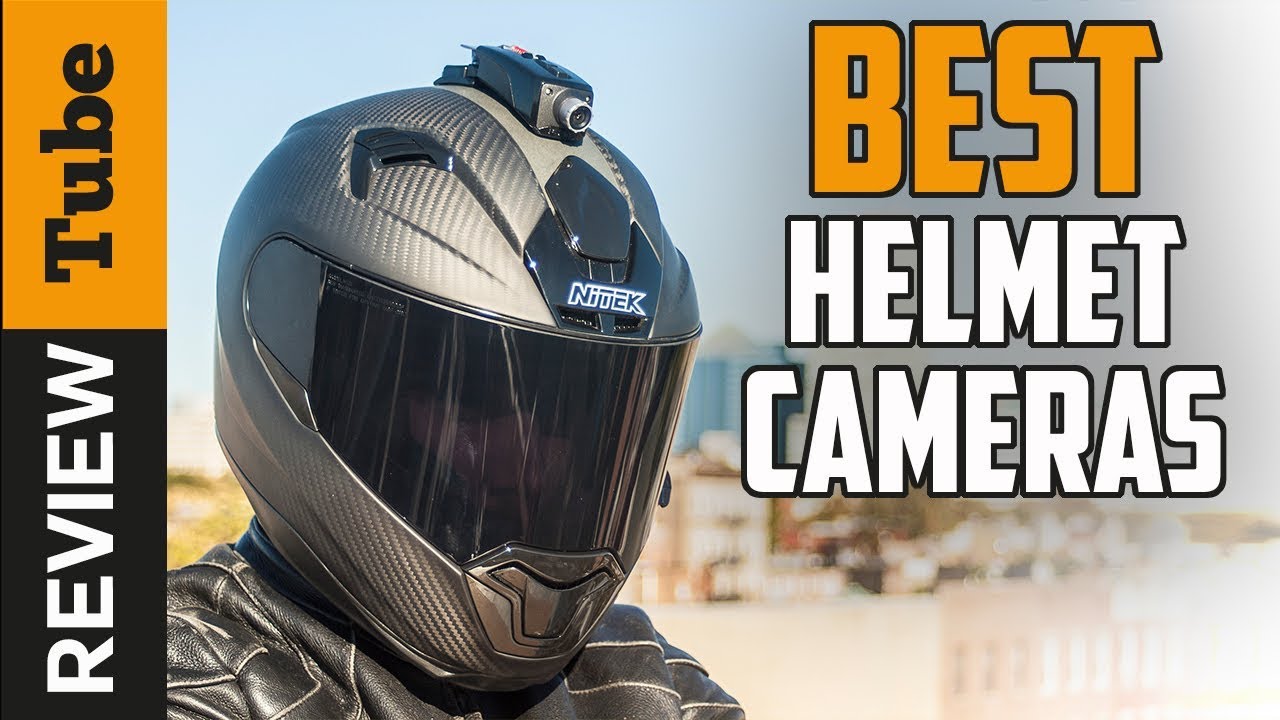
✅Helmet Camera: Best Helmet Camera (Buying Guide)

Choosing a helmet camera sounds simple until you’re staring at a list of 40+ models with conflicting specs and reviews that all say the same thing. This guide cuts through the noise with specific recommendations, real specifications, and clear advice based on riding type — so you buy the right camera the first time.

Manufacturers release new models regularly (for example, DJI’s Osmo Action 6 and GoPro’s MISSION 1 series are now listed on their official sites). Check current lineups, specifications and prices before buying.

Models compared: GoPro Hero 13 Black, DJI Osmo Action 5 Pro, Insta360 X5, Techalogic DC-1, INNOVV H5

Top Helmet Camera Picks at a Glance

Camera Best For Max Resolution Stabilization Price (approx)
GoPro Hero 13 Black All-round motorcycle use 5.3K/60fps HyperSmooth 6.0 ~$399
DJI Osmo Action 5 Pro Long rides, low-light 4K/120fps RockSteady 4.0 ~$269
Insta360 X5 360° / reframeable footage 8K/360° FlowState ~$499
Insta360 GO 3S Lightweight, discreet use 2.7K/30fps FlowState ~$299
Techalogic DC-1 Dedicated motorcycle cam 1080p/30fps Electronic EIS ~$199

What Actually Matters When Choosing a Helmet Camera

Image Stabilization — The Single Most Important Spec

At highway speeds, even a securely mounted camera picks up significant vibration from road surfaces, engine resonance, and wind buffeting. Without strong stabilization, your footage is unwatchable — no matter how good the sensor is.

The three cameras with the best stabilization for motorcycle use among the models compared here are:

  • GoPro Hero 13 Black with HyperSmooth 6.0 — The gold standard for action sports. Horizon lock keeps the frame level through corners and technical sections. Designed to smooth out motorway-speed vibration, though results vary by mount, helmet and road surface.
  • DJI Osmo Action 5 Pro with RockSteady 4.0 — DJI’s electronic stabilization rivals GoPro’s in most conditions. Particularly effective at managing low-frequency vibration from engine resonance.
  • Insta360 X5 with FlowState — 360° footage benefits from post-production stabilization, which is effectively perfect since you’re choosing the viewpoint after the fact.

Resolution and Frame Rate

For motorcycle helmet cameras, the practical sweet spot is 4K at 60fps. Here’s why each spec matters:

  • 4K resolution — Gives you enough detail to crop in editing while keeping file sizes manageable. At highway speeds, fine detail (road markings, signs, other riders) becomes visible that 1080p loses.
  • 60fps minimum — Motion at speed looks choppy at 30fps. At 60fps, fast movement through corners stays smooth. For slow-motion clips, look for cameras that shoot 4K/120fps (GoPro Hero 13) or 2.7K/240fps.
  • Avoid 5.3K for daily use — The storage and battery hit isn’t worth it unless you’re producing professional content. 4K is the practical maximum for 99% of riders.

Mount Position: This Changes Everything

Where you mount your camera determines the perspective your viewers get — and how much vibration the camera absorbs.

Chin mount (recommended for motorcycles): Positions the camera at eye level, matching your natural perspective. The chin bar absorbs some vibration and the low position means wind resistance is minimal. Works with full-face helmets only. Best chin mounts: Peak Design Capture Clip, GoPro Helmet Chin Mount.

Top mount: Elevated perspective shows more of the road ahead. More aerodynamic drag at speed and slightly more vibration. Works with any helmet style. Good for adventure/touring riders who want to show scenery.

Side mount: Creative angle for B-roll but impractical as a primary mount — the leverage at speed creates visible vibration even with good stabilization.

Battery Life and Storage

Real-world battery life at 4K/60fps varies significantly from manufacturer claims:

  • GoPro Hero 13 Black: ~90 minutes (claimed 143 min at 1080p/60fps). The Enduro battery ($25) adds ~20% in cold weather.
  • DJI Osmo Action 5 Pro: ~160 minutes at 4K/30fps — best battery life in its class. The 1,950mAh battery is the largest in any action camera under $300.
  • Insta360 X5: ~81 minutes in 360° mode — higher than the X4.

For rides over 90 minutes, plan for either a USB-C power bank (most cameras support charging during recording) or carry a spare battery. Use our Battery & Trip Planner tool to calculate exactly what you need.

Audio Quality

Wind noise is the biggest audio problem for helmet cameras. At speeds above 80 km/h, internal microphones become largely unusable without a windscreen solution.

Options ranked by effectiveness:

  1. External mic (best): Rode Wireless GO II clipped inside the helmet with foam windscreen — clean audio at any speed.
  2. DJI Mic Mini: Magnetic attachment, works with DJI cameras. Effective up to ~90 km/h.
  3. Foam windscreen over internal mic: GoPro’s Media Mod includes this; also available as third-party for most cameras. Cuts wind by ~60%.
  4. Internal mic only: Only acceptable below 60 km/h.

Best Helmet Camera by Riding Type

Best for Motorcycle Road Riding: GoPro Hero 13 Black

The Hero 13’s HyperSmooth 6.0 handles motorway vibration better than any competitor. The 5.3K sensor gives you room to crop for a cinematic 16:9 result. Max Lens Mod 2.0 adds a 177° ultra-wide field of view for immersive footage. The new Quik app makes transferring and editing footage on your phone genuinely painless. Price: ~$399 (camera only), ~$649 with accessories bundle.

Best Value: DJI Osmo Action 5 Pro

At $130 less than the Hero 13, the Osmo Action 5 Pro delivers 4K/120fps, the longest battery life in the category (160 min), and a dual-screen design that makes vlogging and angle checking easy without removing the camera. The main limitation vs. GoPro is a smaller ecosystem of accessories and mounts. Price: ~$269.

Best for Adventure/Off-Road: Insta360 X5

The 8K 360° footage lets you reframe shots in editing, which means you’re never stuck with a fixed angle. If you tip the bike, crash, or find yourself going sideways, the invisible selfie stick trick creates floating, professional-looking shots without visible camera equipment. The main tradeoff: heavier than single-lens cameras (179g) and 360° requires more editing time. Price: ~$499.

Best Dedicated Motorcycle Camera: Techalogic DC-1

Unlike GoPro/DJI, the Techalogic DC-1 is built specifically for motorcycle use. It has a dual-lens design capturing front and rear simultaneously — functionally a dashcam for your helmet. The 1080p resolution is adequate for incident recording, loop recording overwrites old footage automatically, and the simple two-button operation works with riding gloves. If your priority is safety documentation over cinematic footage, this is the better choice than a GoPro. Price: ~$199.

What to Avoid

No-name “4K” cameras under $50: These claim 4K but interpolate from a 1080p sensor. Stabilization is ineffective or absent. Mounts fail at highway speeds. The GoPro Hero entry-level (Hero) at ~$179 is the minimum worth considering for motorcycle use.

Action cameras without EIS: Older GoPro Hero 9 and below, older SJCAM models, and many generic brands lack effective electronic image stabilization. Footage is unwatchable above 60 km/h regardless of mount quality.

Frequently Asked Questions

Are helmet cameras legal for motorcycle riders?

In most US states, yes — there are no laws specifically prohibiting helmet cameras. However, some states have audio recording consent laws that affect whether you can record conversations. Rules vary internationally. See our complete helmet camera legal guide for state-by-state rules.

Will a helmet camera void my helmet certification?

Adhesive mounts that modify the helmet shell can technically void DOT/ECE certification in some interpretations. To stay safe: use chin mount adapters that attach to the chin bar without adhesive, or use clip-on mounts compatible with your specific helmet model. The GoPro Helmet Chin Mount is ECE-friendly as it doesn’t modify the shell.

How much storage do I need?

At 4K/60fps, GoPro Hero 13 uses approximately 4.5GB per hour. A 128GB card gives you ~28 hours of footage, which is adequate for any ride. Use a Class 10 / V30 minimum speed-rated card — SanDisk Extreme (V30) or Samsung PRO Endurance are the two most reliable choices for continuous recording.

Can I charge the camera while riding?

Most modern helmet cameras (GoPro Hero 13, DJI Osmo Action 5 Pro, Insta360 X5) support USB-C charging during recording. You can run a cable from a USB-A or USB-C port on your motorcycle to extend recording time indefinitely — useful for long touring days.

Use our free Camera Recommender tool to get a personalised recommendation based on your helmet type, riding style, and budget.

Official resources: GoPro camera range | DJI action cameras | Insta360 Ace Pro 2.

Get Your Download Immediately

Get Instant access to our Digital Helmet Camera ebook

You have Successfully Subscribed!